

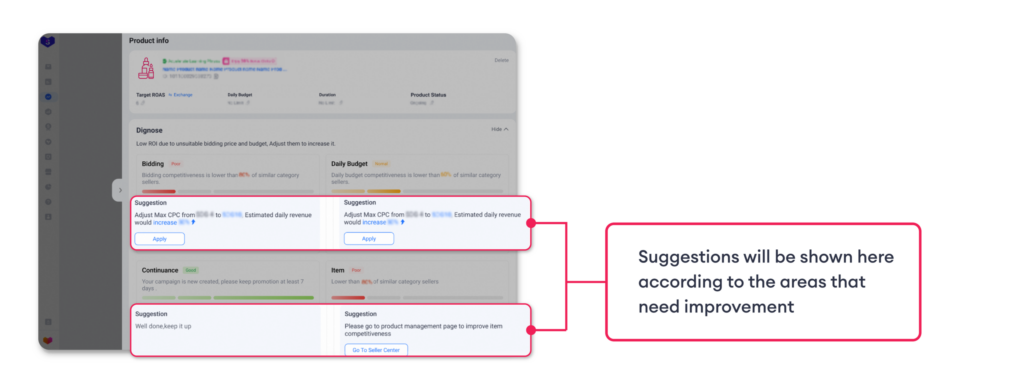
Introducing the Sponsored Max Diagnosis Feature, available for both Sponsored Max – Store and Sponsored Max – Product. This feature helps you easily understand your campaign performance by identifying potential issues and highlighting opportunities for improvement. With personalized insights and guided recommendations, you can optimize your Sponsored Max campaigns more confidently and achieve better results
Diagnosis analyzes performance across four essential areas:
Benefits of the Diagnosis Feature
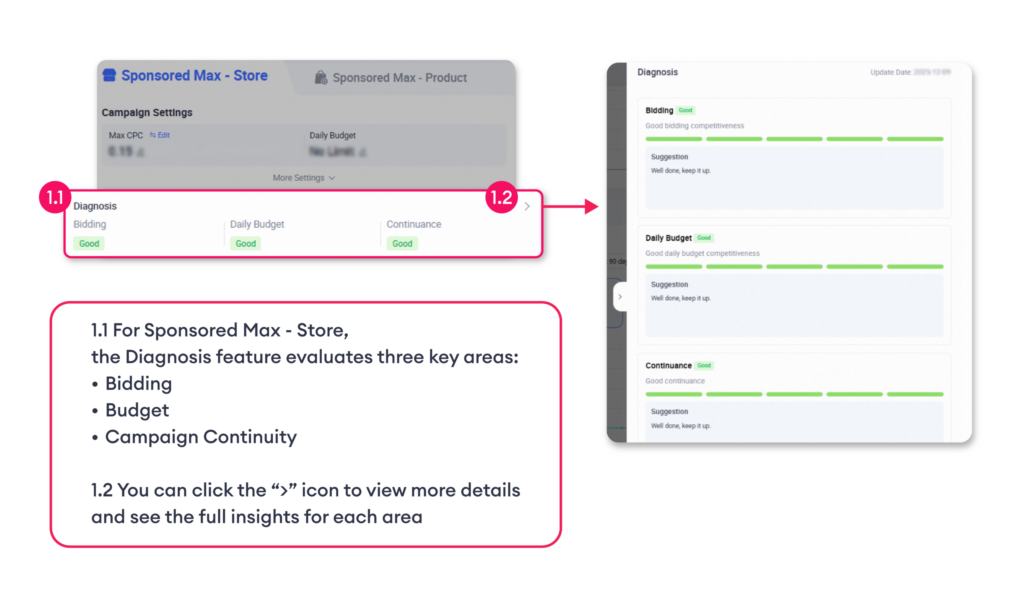
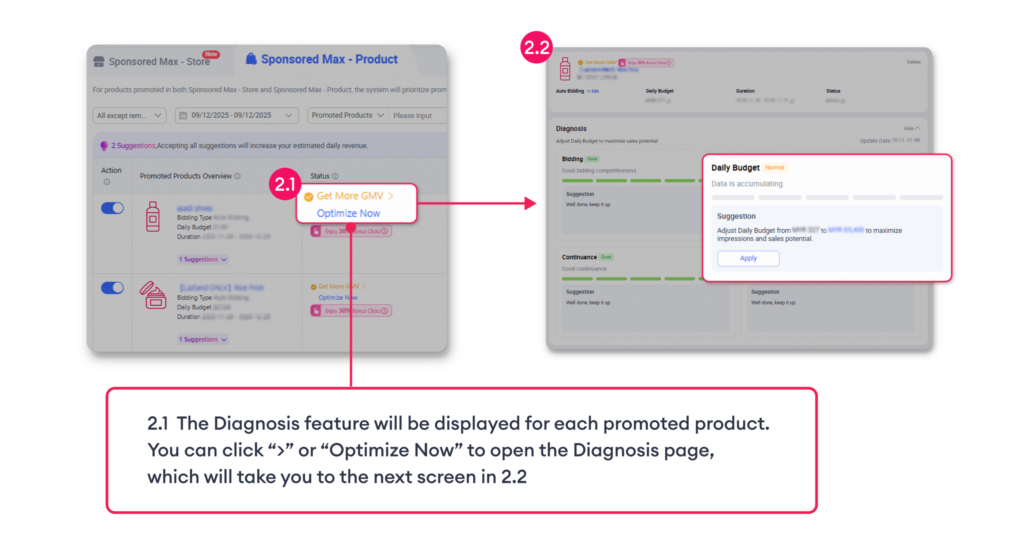
You can find the Diagnosis feature in two locations depending on your campaign type:
1. Sponsored Max – Store
2. Sponsored Max – Product
How to Read Diagnosis Insights
Each Diagnosis insight includes two parts to help you clearly understand what’s happening and what actions to take:
1. Campaign Rating
Explains what may be affecting your campaign performance.
Diagnosis uses three ratings to indicate campaign health:
– Poor
– Normal
– Good
For example, if your campaign has low bids, insufficient budget, or interruptions, the system will show your status across the four key areas.
2. Suggestions
Suggests practical steps you can apply, such as increasing your bid, adjusting your daily budget, improving item competitiveness, or ensuring your campaign runs continuously.
This structure makes it easy to understand both what the opportunity for improvement is and how to fix it, whether you are using Sponsored Max – Store or Sponsored Max – Product.
Explore Sponsored Max Diagnosis Now!
Country | Try now on Desktop | Try now on Lazada Seller Center App |
|---|---|---|
Malaysia | ||
Philippines | ||
Singapore | ||
Thailand | ||
Vietnam | ||
Indonesia |