

Solution:
Efficiently drive traffic and sales through automated budget management with two comprehensive top-up methods available via Lazada Seller Center website or mobile application.
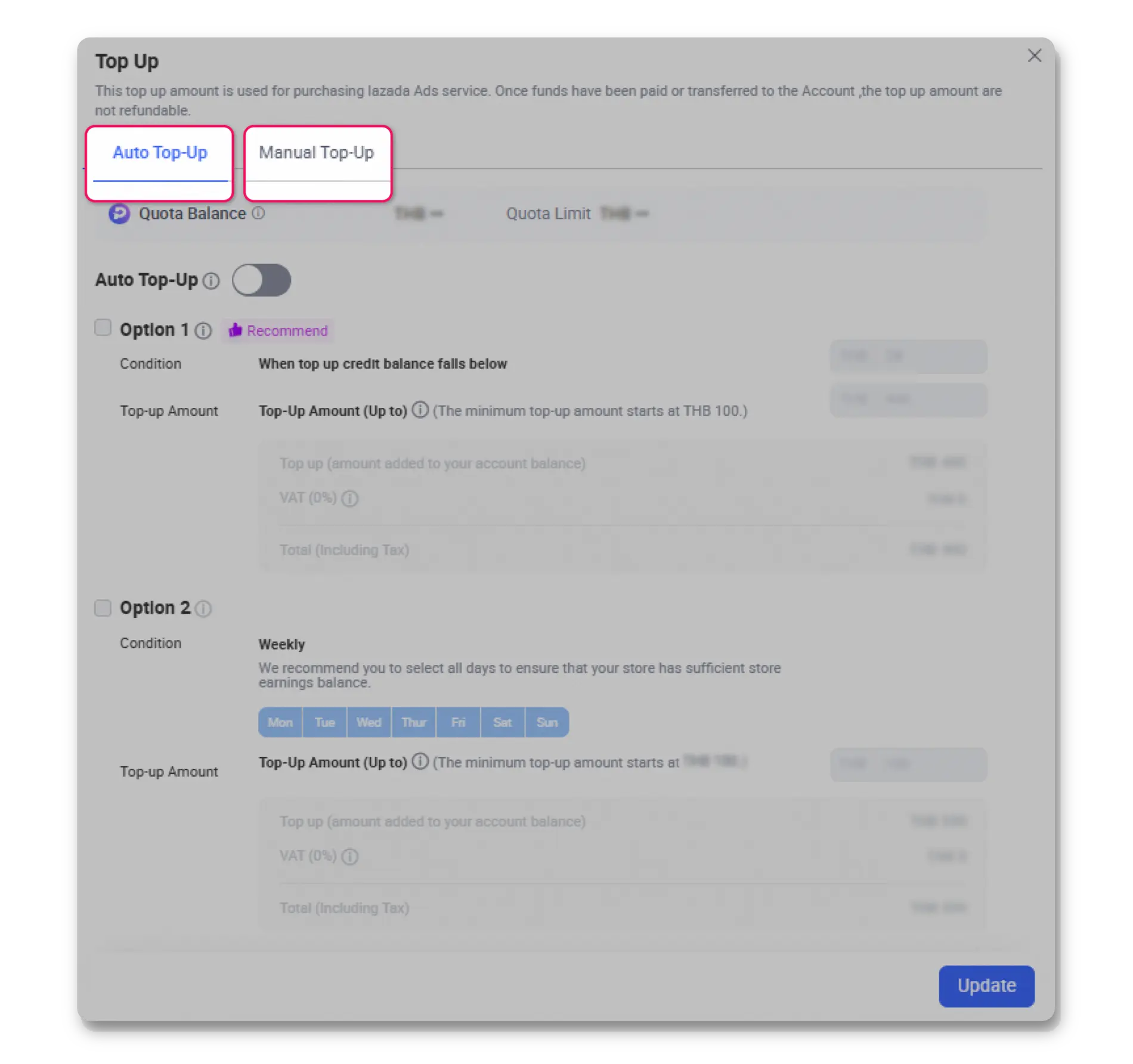
Seamlessly maintain your Account Balance using store earnings for On-platform solutions.
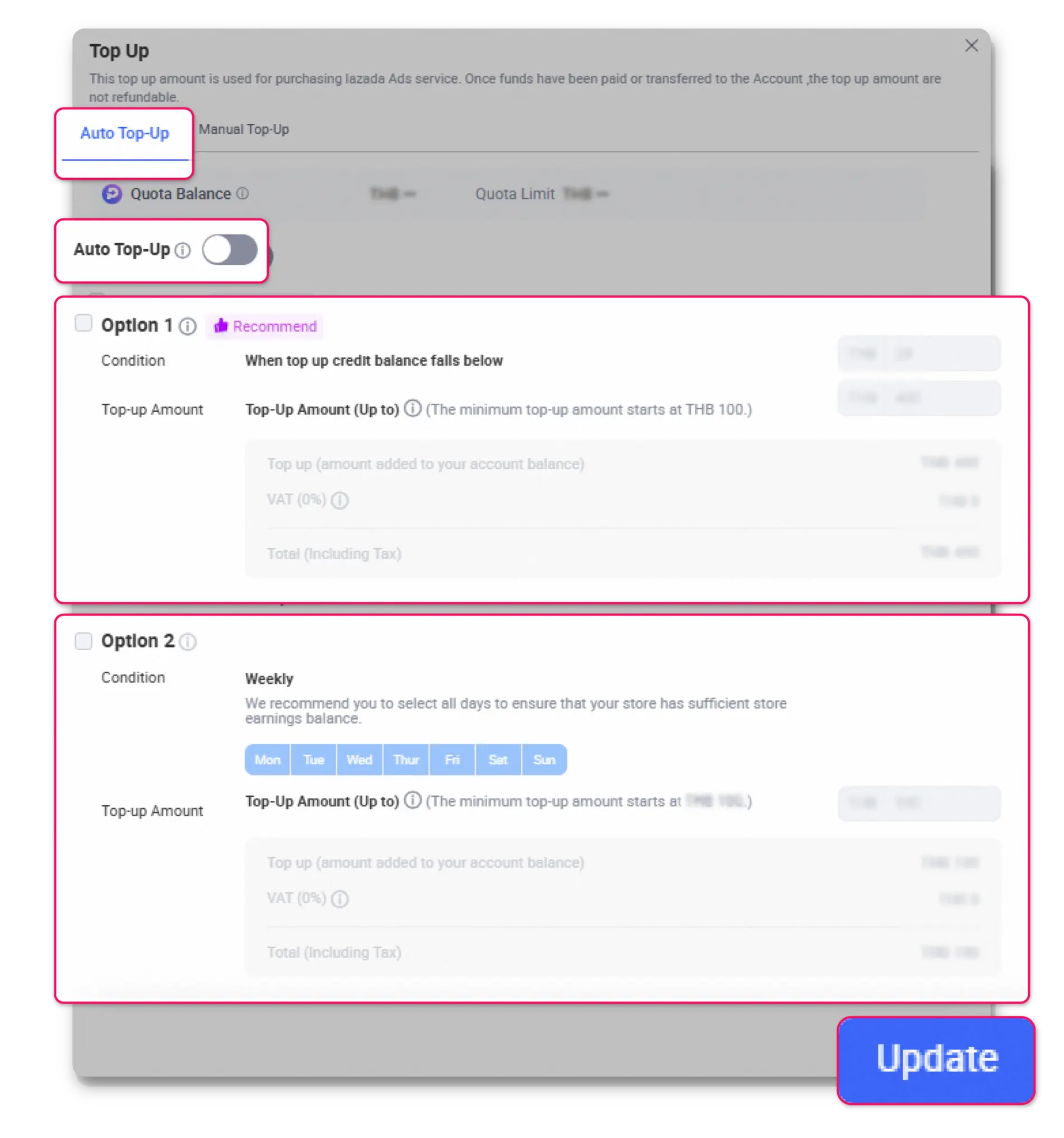
Available Configuration Options:
Dual-Option Configuration:
Enabling both options provides comprehensive campaign continuity through:
– Threshold-based replenishment for consistent operational funding
– Scheduled enhancements for strategic market positioning
Important Notice: The Auto Top-Up functionality will continue attempting transactions until successful completion if initial store earnings prove insufficient.
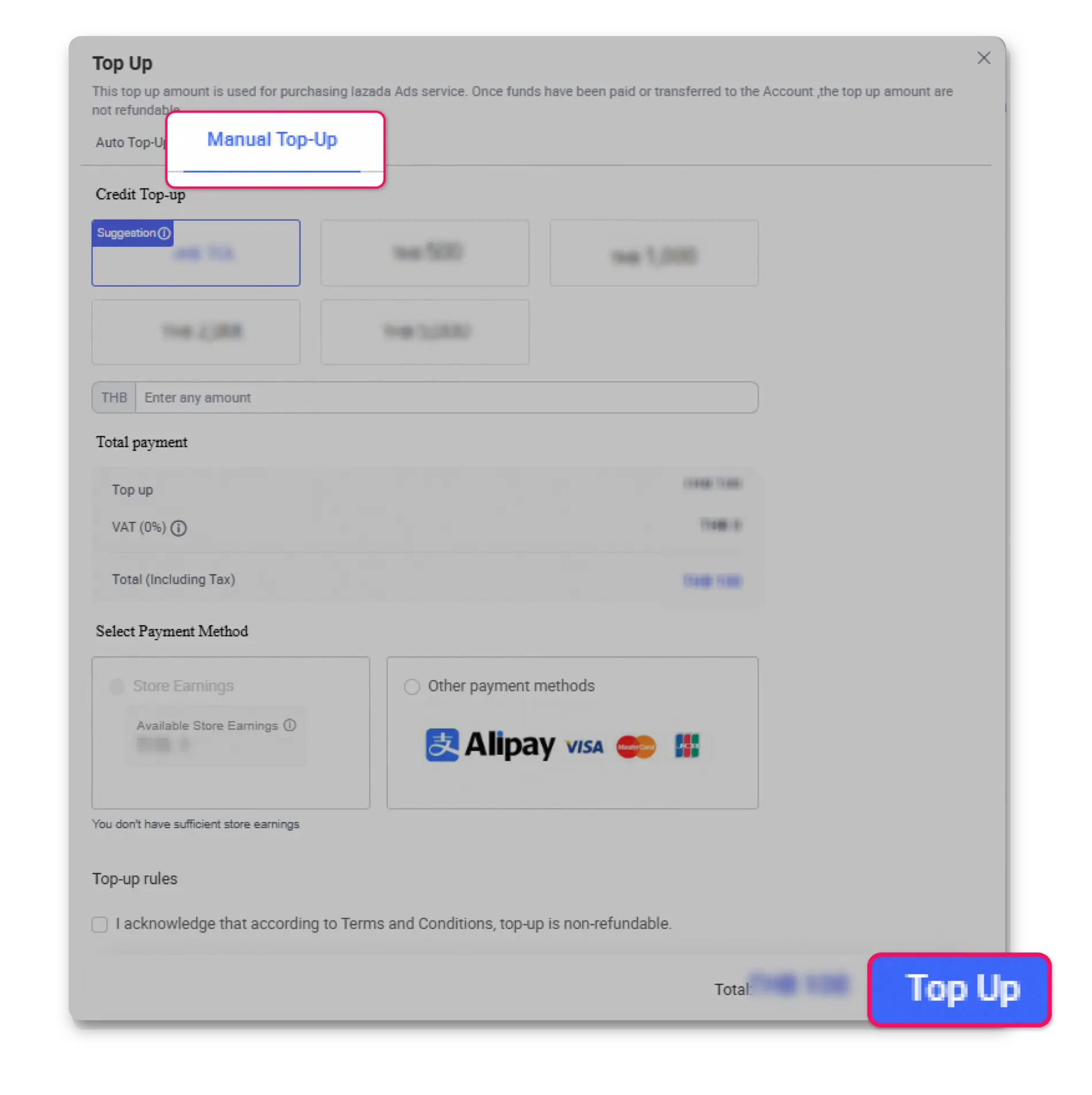
Optimal for new seller or those requiring direct budget oversight.
Accepted Payment Methods (Subject to Country):
– Store Earnings
– Credit/Debit card
– Internet Banking
– Digital wallets
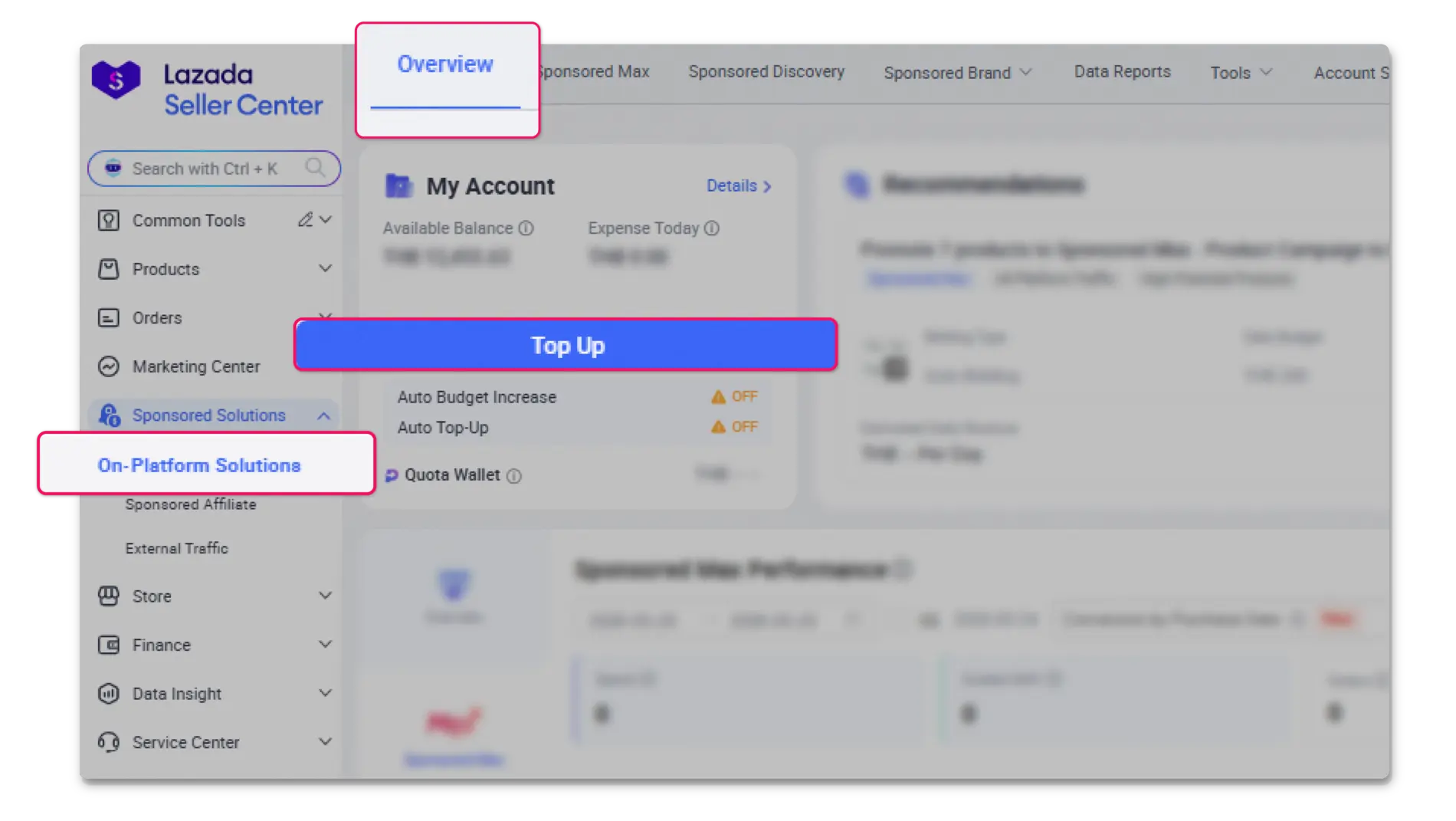
1. Access the On-Platform Solutions homepage
2. Locate and select the top-up button positioned within the account balance section
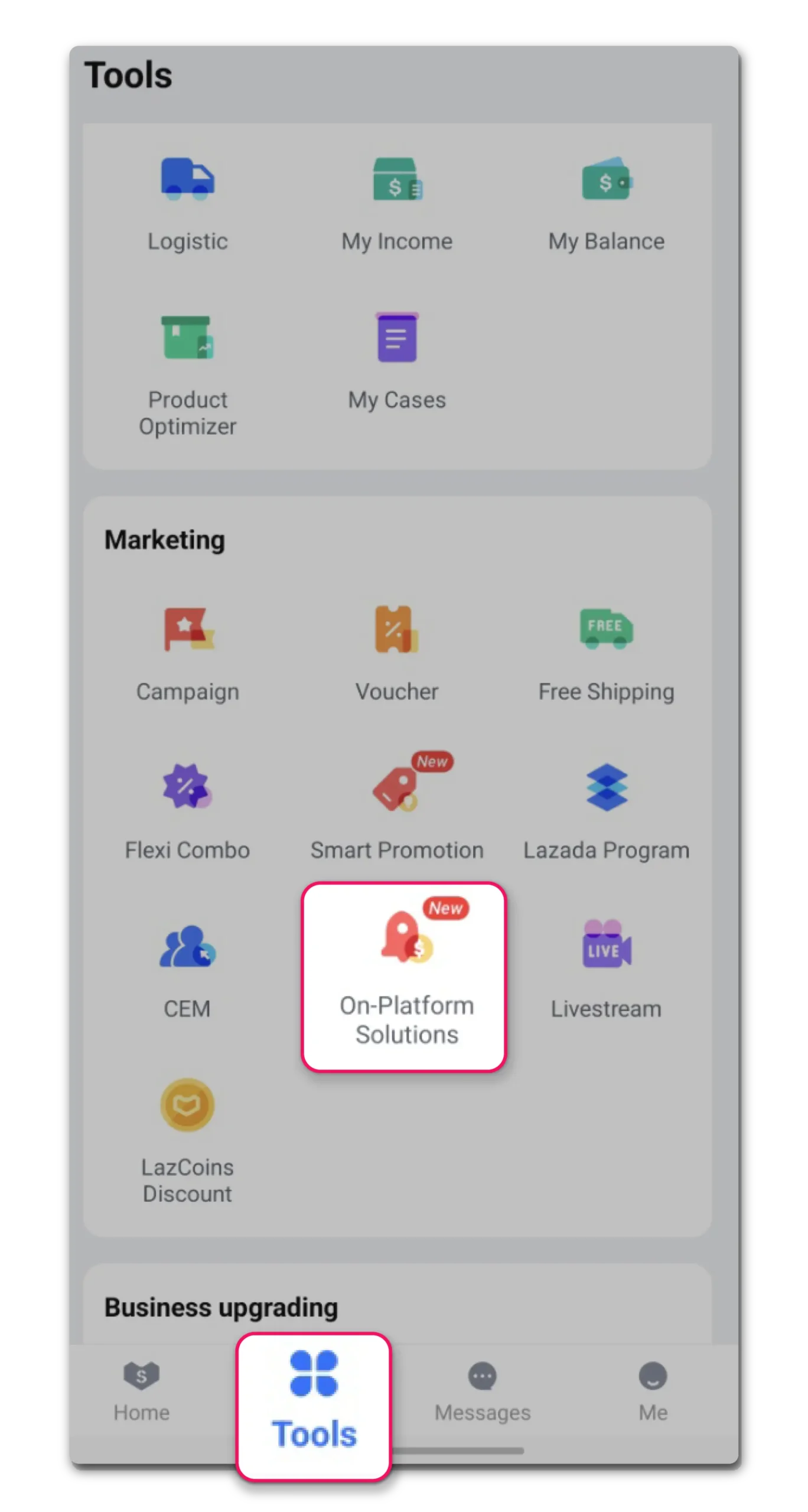
1. Access Tools tab
2. Navigate to Marketing section and select On-Platform Solution
3. Select Top-Up option
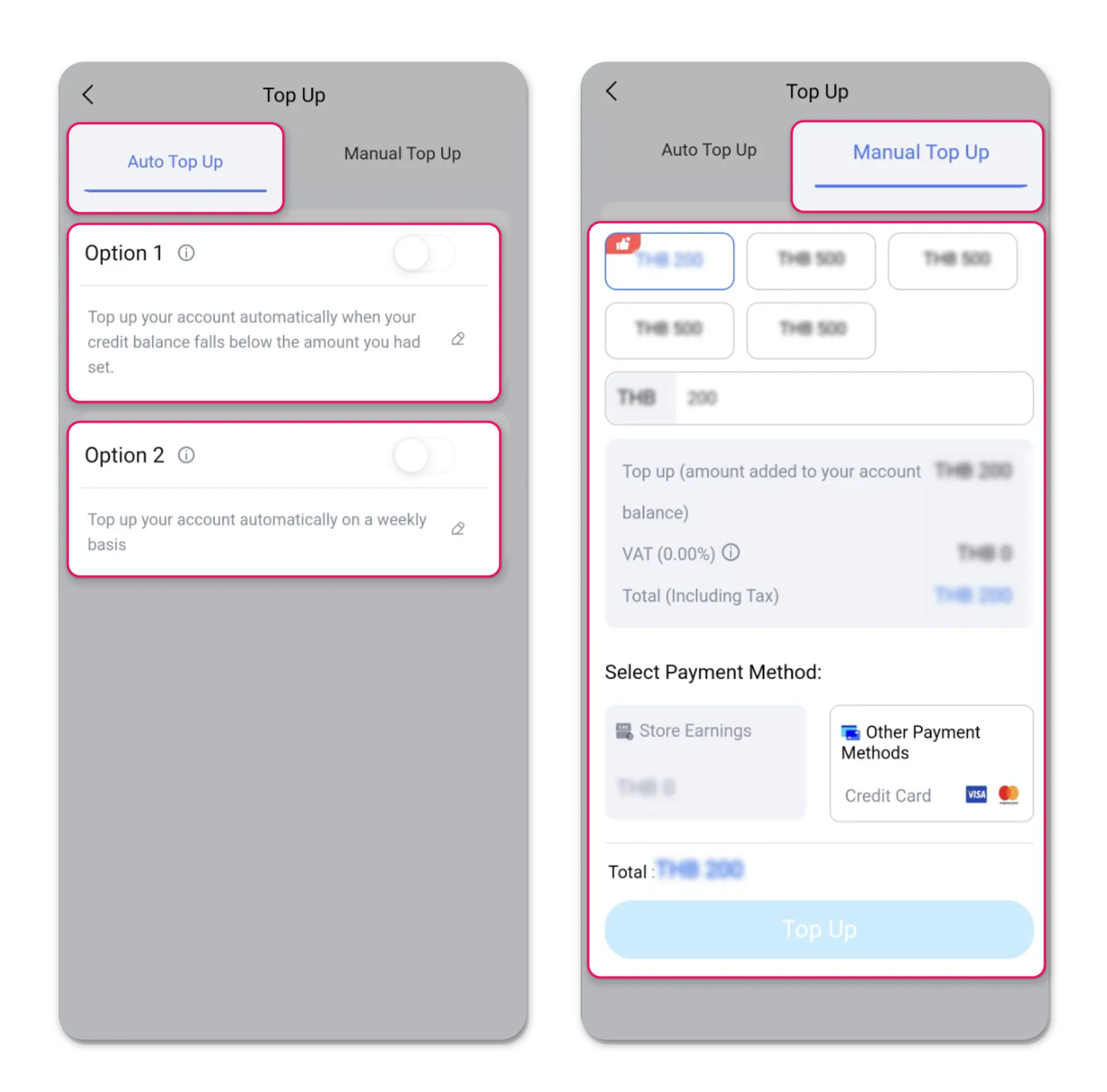
4. Configure Auto Top-Up or Manual Top Up
1. Access the On-Platform Solutions homepage
2. Select Top Up button within My Account section
3. Navigate to auto top-up tab
4. Deactivate toggle switch
5. Confirm changes by selecting “Update”
Country | Try now on Desktop | Try now on Lazada Seller Center App |
|---|---|---|
Malaysia | ||
Singapore | ||
Philippines | ||
Thailand | ||
Vietnam | ||
Indonesia |