
Sponsored Max: Campaign-level creation for Sponsored Max – Product

Sponsored Max – Product has been upgraded to support campaign-level creation with up to 100 products per campaign, featuring shared budget and bid settings. Intelligent budget allocation automatically distributes spend within each campaign.

Key Benefits

1. Simpler setup: Manage multiple products in one campaign, with the flexibility to select between 1 to 100 products per Sponsored Max – Product campaign
2. Smarter budget & bids: Shared budget and bidding with intelligent allocation.
3. Smart Creative: Automatically optimizes creatives, with the option to turn on or off anytime

How to Create a New Sponsored Max - Product Campaign

1. Go to Lazada Seller Center > Sponsored Solutions > On-Platform Solutions and select the ‘Sponsored Max’ tab.
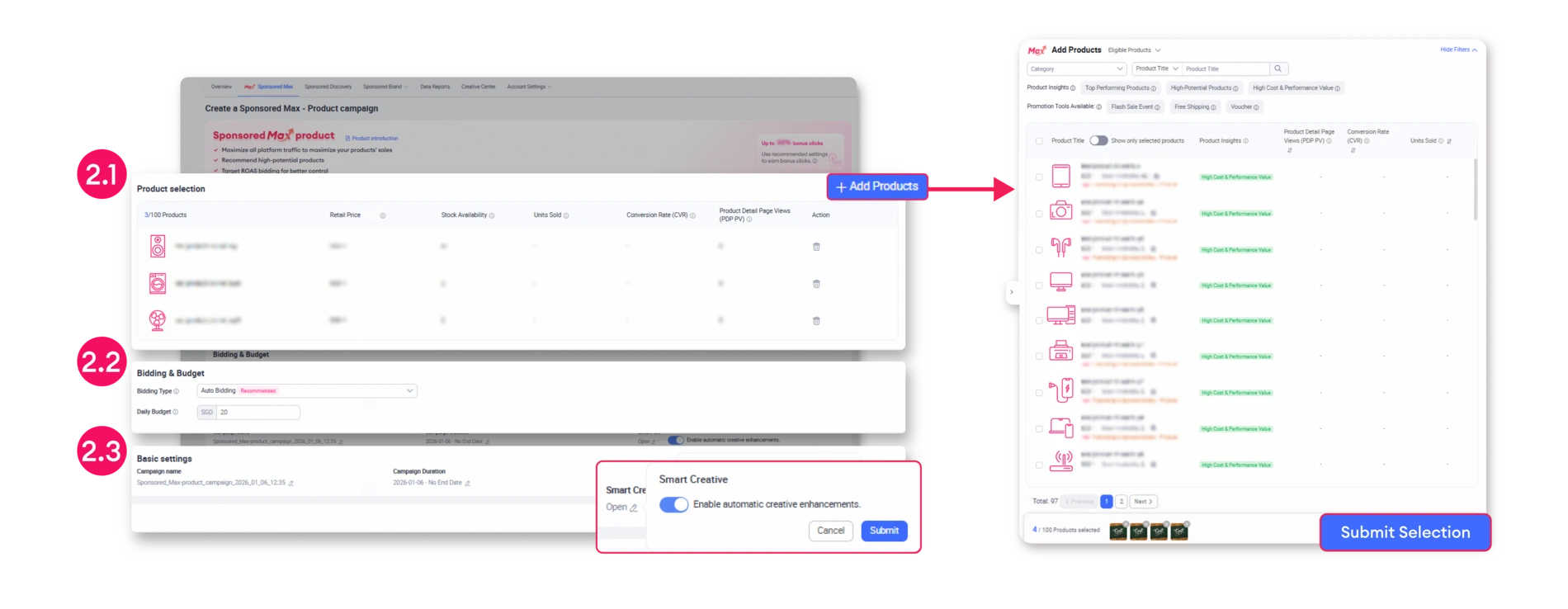
2. Configure Your Campaign Settings

2.1 Product Selection: Under ‘Product Selection’, you can select between 1 up to 100 products per campaign. Click the ‘Add Products’ button to choose your items, then click ‘Submit Selection’ to confirm.

2.2 Bidding & Budget: Select your Bidding Type and set your Daily Budget. (Note: For optimal results, an ‘Unlimited’ budget is recommended to maximize performance).

2.3 Basic Settings: Set your Campaign Name and Campaign Duration. You can also toggle the ‘Smart Creative’ feature On or Off based on your preference.
3. Click ‘Start Promotion’ to finish. You’re all set! Your new campaign is ready to go.

How to Monitor Your Sponsored Max - Product Performance

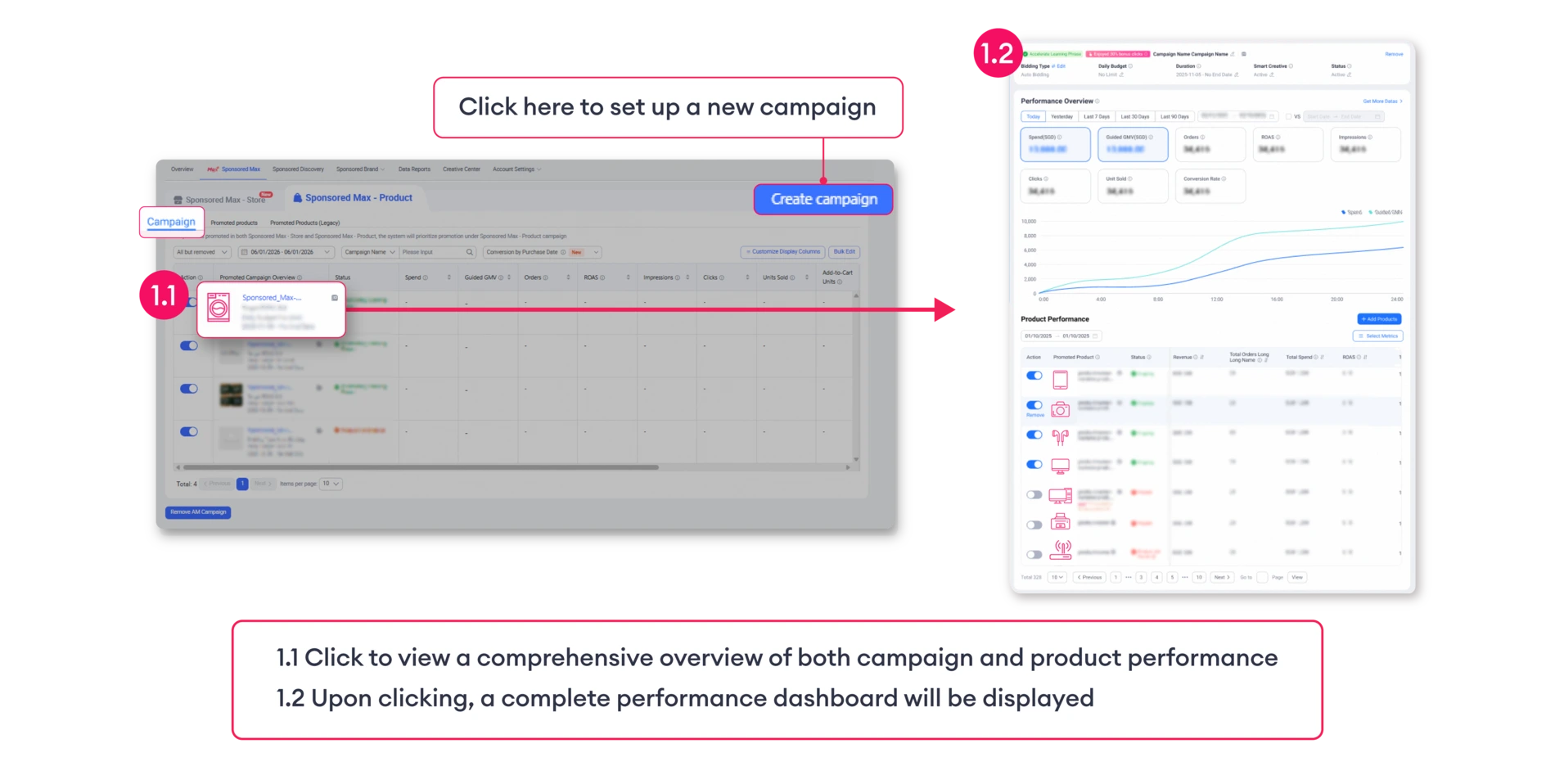
1. ‘Campaign’ Tab
View an overview of all your promoted campaigns. This tab displays the total number of promoted campaigns and provides a summary of overall performance
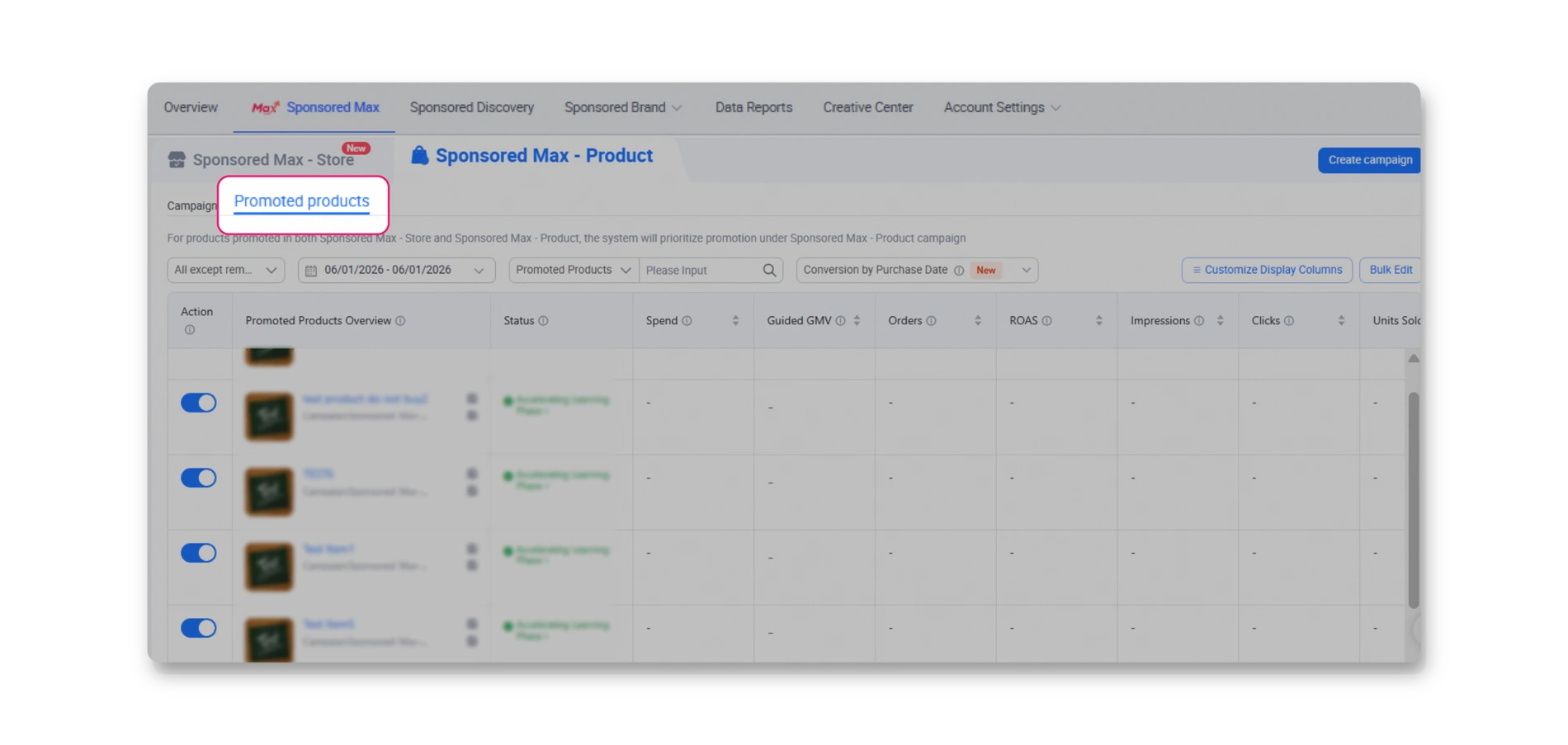
2. ‘Promoted Products’ Tab
View performance metrics for each specific product within your campaigns
Please note that feature updates will be rolled out progressively by country and seller. As a result, availability may vary, and the new features may not be immediately available to all sellers on 29 December 2025.

Frequently Asked Questions (FAQ)

A: Because multiple products within 1 campaign pull from the same daily budget, it’s important to allocate a budget that sustains steady traffic all day long. For the best results, we suggest choosing the ‘Unlimited’ budget option; this gives the system full flexibility to optimize your spend toward your ROAS/ROI targets. If you prefer a fixed limit, try setting an amount that meets or exceeds the combined past performance or forecasted spend of the individual products.

A: No. The system automatically optimizes spending across all products to prioritize achieving the overall ROAS/ROI goal of the Sponsored Max – Product campaign. To ensure each product receives sufficient traffic, we recommend grouping products with similar characteristics and performance levels for the best results.

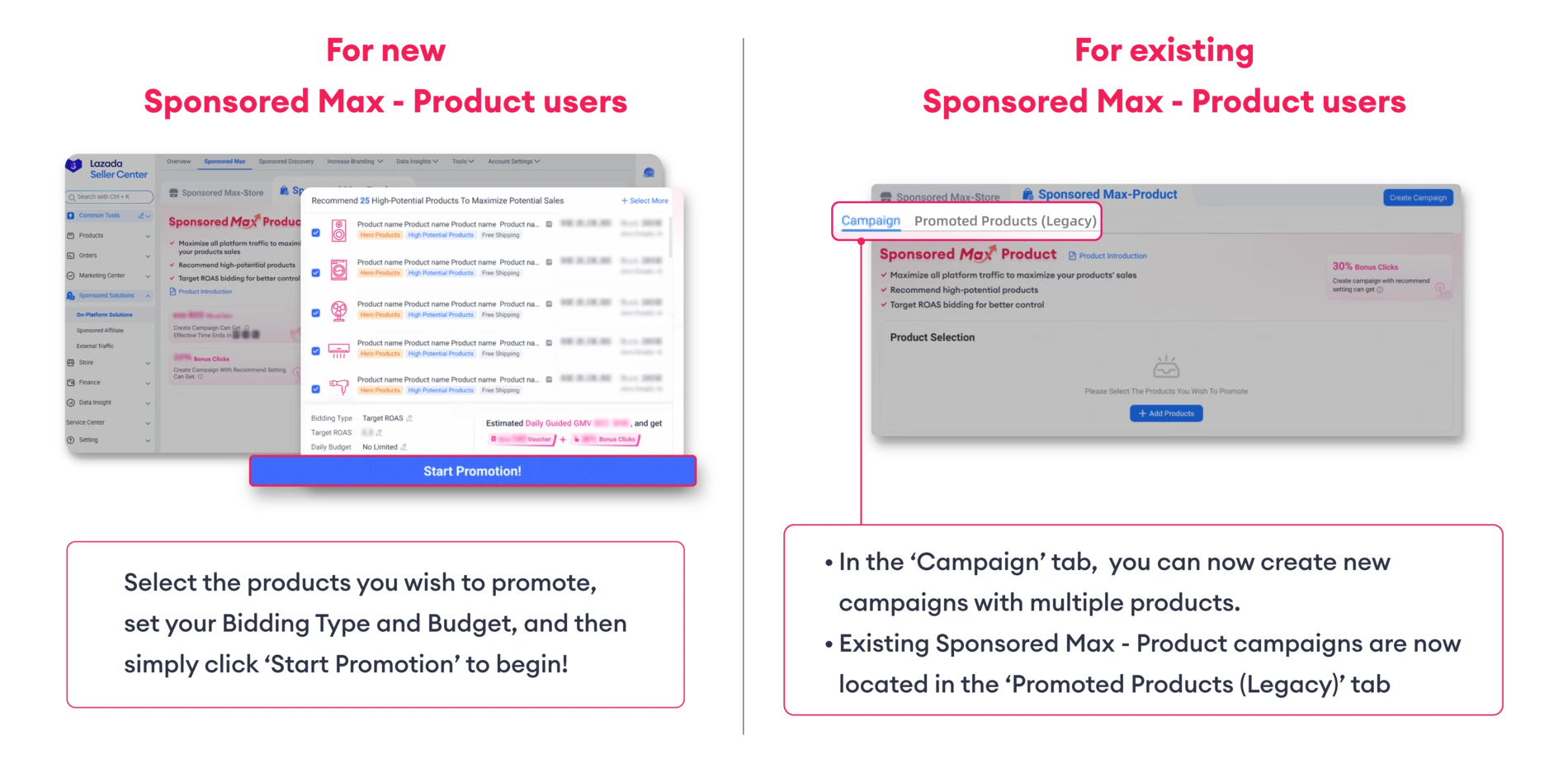
A: To prevent overlapping, if an active product is selected for a new Sponsored Max – Product campaign, the original campaign will be automatically paused or removed by the system. The new campaign can be found under the ‘Campaign’ tab, while the original (paused) campaign will be moved to the ‘Promoted Products (Legacy)’ section

A: The Diagnosis tool currently supports Promoted Product (legacy) campaigns only. As a result, newly launched Sponsored Max – Product campaigns do not have diagnosis capabilities at this time.
We recommend monitoring these campaigns through the Campaign or Promoted Products tabs for now.

Available now on both desktop and the Lazada Seller Center app

Country
Try now on Desktop
Try now on Lazada Seller Center App
Malaysia
Philippines
Singapore
Thailand
Vietnam
Indonesia

Recent stories