Sponsored Max: ROAS/ROI Protection – December 2025

What is Sponsored Max ROAS/ROI Protection

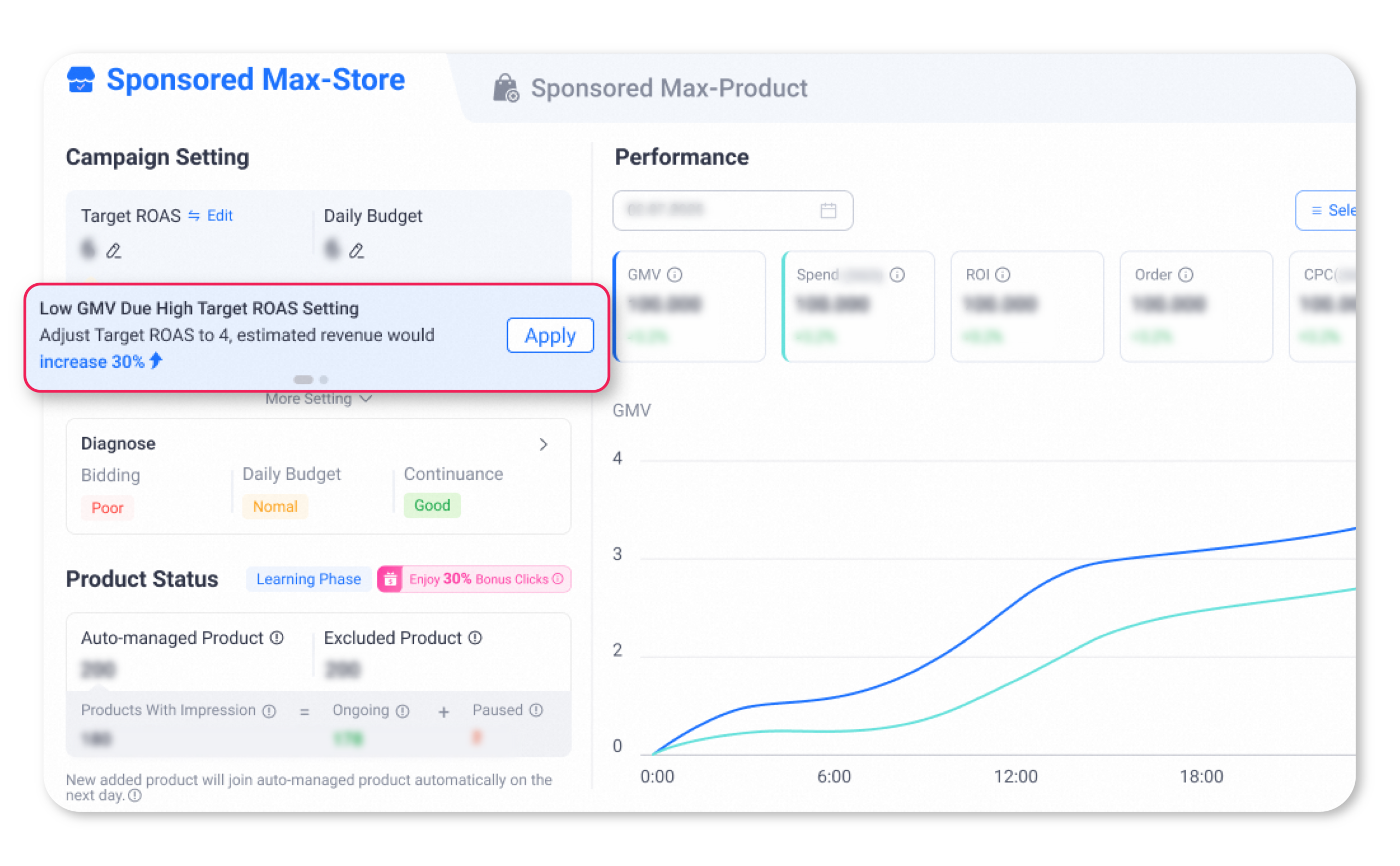
  • ROAS/ROI Protection is a protection mechanism for merchants using the Target ROAS/ROI bidding type in Sponsored Max – Store. When specific conditions are met, ROAS/ROI protection activates. When the system cannot achieve certain criterias of target ROAS/ROI, Lazada rebates eligible campaigns with LSS vouchers based on their type and payout criteria.

How to be eligible for ROAS/ROI protection?

  • To activate ROAS/ROI Protection, your products must be promoted through Sponsored Max.
  • On a daily basis, campaigns must meet the following criteria to enable ROAS/ROI Protection.

    1.

    Your Sponsored Max campaign’s bidding type must be set to Target ROAS/ROI, and the bidding price must be ≤ Target ROAS/ROI suggested maximum value × 1.3

    2.

    Daily spending for each campaign must be > 0

    3.

    Campaign is not in learning phase on the day

    4.

    Daily store-guided orders (based on conversion time data) for each campaign ≥ 5

    5.

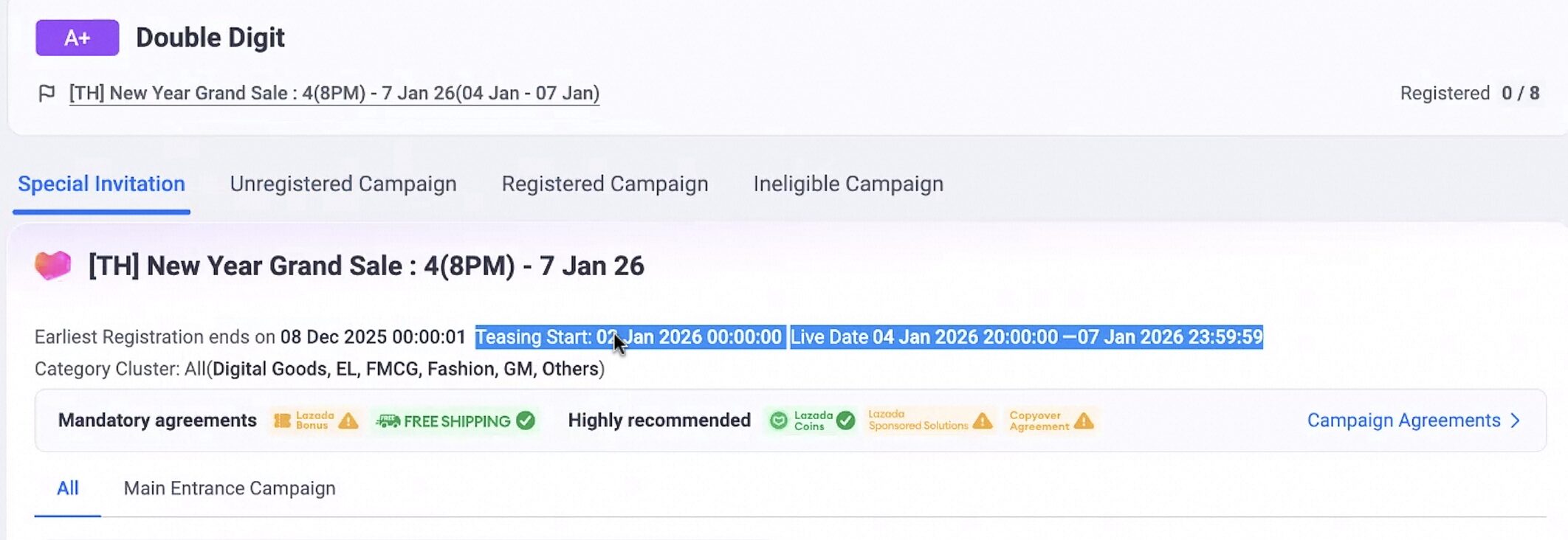
    No rebates are available during Double-Digit and Mega Campaigns (including Teasing and D-Day periods).

    • Definition source of Campaign: based on campaign tag on campaign page on ASC (Seller Center > Marketing Center > Campaign > Campaign Invitation), including (‘Double Digit’,’BDAY’,’3.3′,’4.4′,’6.6′,’7.7′,’9.9′,’10.10′,’11.11′,’12.12′) .
    • Definition source of Time Period: based on campaign date on campaign detail page on ASC, between Teasing start date and Live end date

    6.

    Other reasons

ROAS/ROI Protection eligibility criteria

  • The reference ROAS/ROI used for ROAS/ROI Protection is the ROI based on the ‘data by purchase date’ metric.

    Campaign Types

    Protection Coverage

    Standard Campaigns

    Guarantee that under 30D attribution on the day, the GMV (based on data by purchasse date) / Final Spend >= Target ROAS/ROI * 90%”

    Rapid Boost Campaigns

    Guarantee that under 30D attribution on the day, the GMV (based on data by purchase date) / Final Spend >= Target ROAS/ROI * 70%

Under what conditions will seller exit from ROAS/ROI protection and how will seller be able to re-qualify for ROAS/ROI Protection.

  • Merchants who meet the above eligibility criteria but experience any of the following issues caused by the merchant will not receive rebate.

    Operational actions

    Exit Conditions (After campaign launch)

    Re-Entry Rules

    Bidding Type Adjustment

    Bidding type switched from Target ROAS/ROI to Max CPC / Auto Bidding
    For non-Target ROAS/ROI campaigns, switching to bidding type = Target ROAS/ROI, with bidding price ≤ Target ROAS/ROI suggested maximum value × 1.3

    Bidding Price Adjustment

    For Target ROAS/ROI campaigns, if bidding price is adjusted on the same day:
      • Lowered to the current day’s Target ROAS/ROI suggested maximum value × 1.3, then ROAS/ROI Protection will not take effect on the same day but will take effect the next day;
      • Raised above the current day’s Target ROAS/ROI suggested maximum value × 1.3, then ROAS/ROI Protection will be immediately invalidated
    For Target ROAS/ROI campaigns, bidding price adjusted to ≤ Target ROAS/ROI suggested maximum value × 1.3
  • Some examples
Operational actions

Examples

Bidding Type Adjustment

  • Assuming your currently ongoing Sponsored Max campaign uses Target ROAS/ROI as the Bidding Type, when you switch the Bidding Type to any other non-Target ROAS/ROI Bidding Type on the same day, your ROAS/ROI Protection will be immediately invalidated.
    • If you switch the bidding type back to Target ROAS/ROI from non-Target ROAS/ROI on the same day, and the bidding price meets the ROAS/ROI Protection activation criteria, the rebate will be invalid on the adjustment day, but will continue to take effect on the second day if you maintain this status.
  • Assuming your current Sponsored Max Campaign’s bidding type is non-Target ROAS/ROI, if you modify the bidding type to Target ROAS/ROI on Dec 1st, and the Target ROAS/ROI bidding price ≤ that day’s Target ROAS/ROI suggested maximum value × 1.3, ROAS/ROI Protection will take effect the next day.

Bidding Price Adjustment

  • Assuming your currently ongoing Smax campaign has bidding type set to Target ROAS/ROI, when you make the following adjustments, the ROAS/ROI Protection status will change:
    • When you adjust the Target ROAS/ROI bidding price to > that day’s Target ROAS/ROI suggested maximum value × 1.3, ROAS/ROI Protection is immediately invalidated.
    • When you adjust the Target ROAS/ROI bidding price to ≤ that day’s Target ROAS/ROI suggested maximum value × 1.3, ROAS/ROI Protection is invalidated on the same day but continues to take effect the next day.
  • Assuming your currently running Sponsored Max campaign on December 1st has a Target ROAS/ROI bidding price > Target ROAS/ROI suggested maximum value × 1.3, and you modify it on the same day to ≤ that day’s Target ROAS/ROI suggested maximum value × 1.3, ROAS/ROI Protection will take effect the next day.
  • If all your settings were correct and ROAS/ROI Protection was functioning normally, but the next day the system’s suggested value changed, causing your maintained (without any adjustments) Target ROAS/ROI bidding price to > Target ROAS/ROI suggested maximum value × 1.3, ROAS/ROI Protection will continue to take effect as long as you make no adjustments.

How does ROAS/ROI protection work

Rebate Calculation Rules

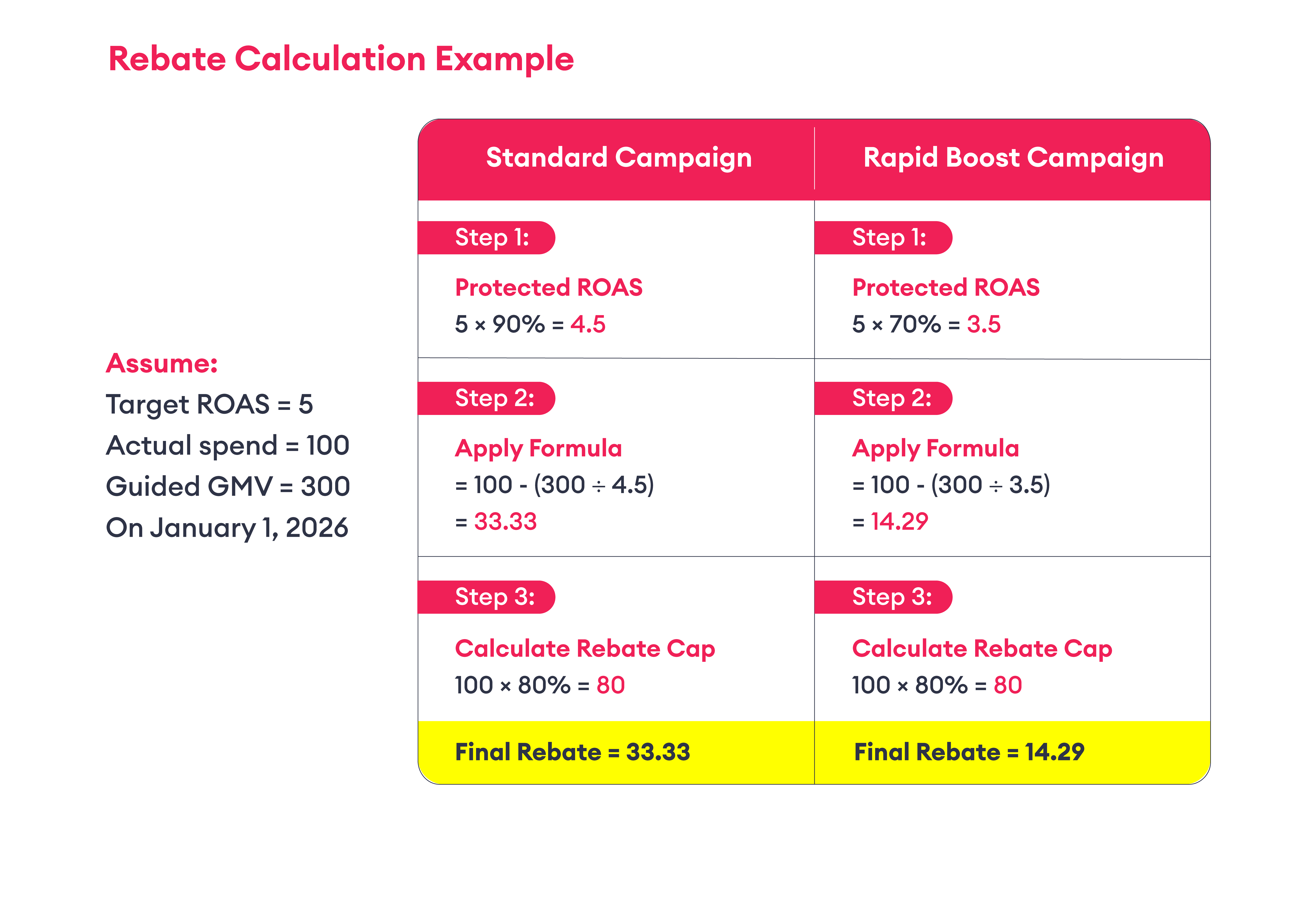
  • The maximum rebate for a campaign will not exceed 80% of the daily spending amount.
  • Standard Campaign
    • Rebate = Min (actual spending – Store Guided GMV/(Target ROAS/ROI* 90%), actual spending * 0.8)

    *Target ROAS/ROI represents the merchant-set value. The “Min” formula here takes the minimum value between the two numbers.

  • Rapid Boost Campaign
    • Rebate = Least (Real spend – Store Guided GMV/(Target ROAS/ROI* 70%), Real spend * 0.8)
    • If Rapid Boost was activated on the same day, the rebate will be calculated using the Rapid Boost campaign formula.
    • If the merchant accepts the new system-recommended Target ROAS/ROI the same day, rebates will be based on the accepted Target ROAS/ROI value.

Rebate Payout Process

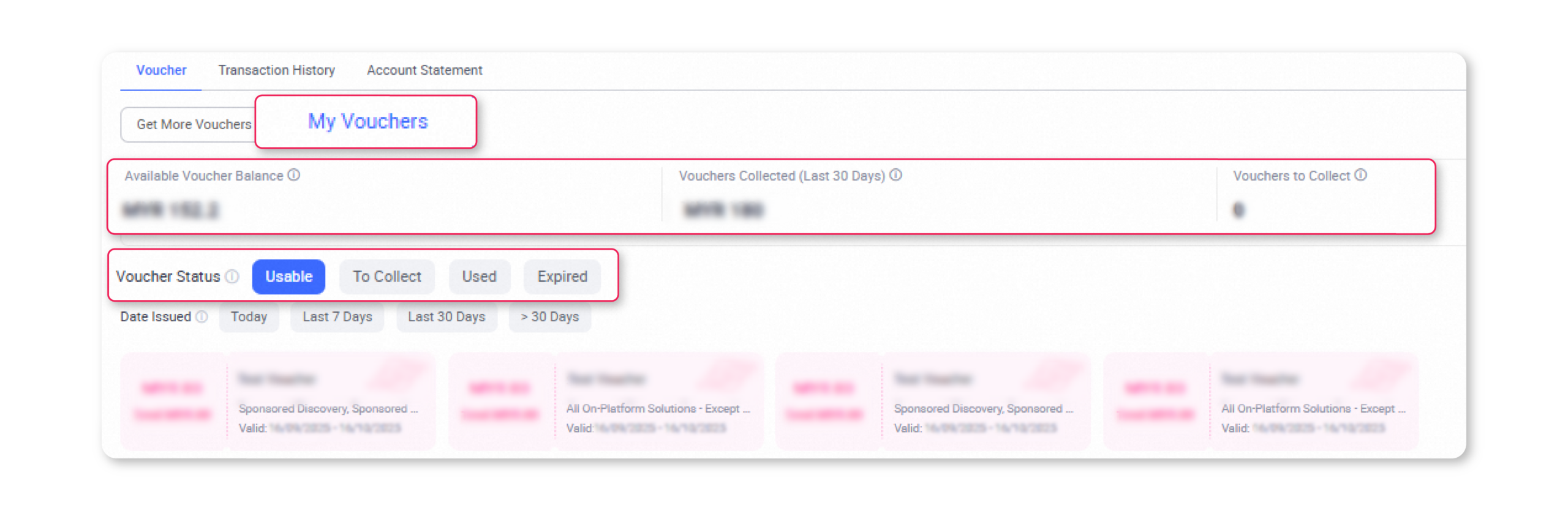
  • After the system calculates the rebate, it will be issued to your account within 5 working days in the form of an LSS voucher.
  • The voucher is a no-min threshold voucher with a 30-day validity period upon arrival, and it will be automatically credited to your account without manual redemption.
  • The standard voucher name is: S.Max ROAS/ROI Protection Voucher

How to Check the ROAS/ROI Protection Features?

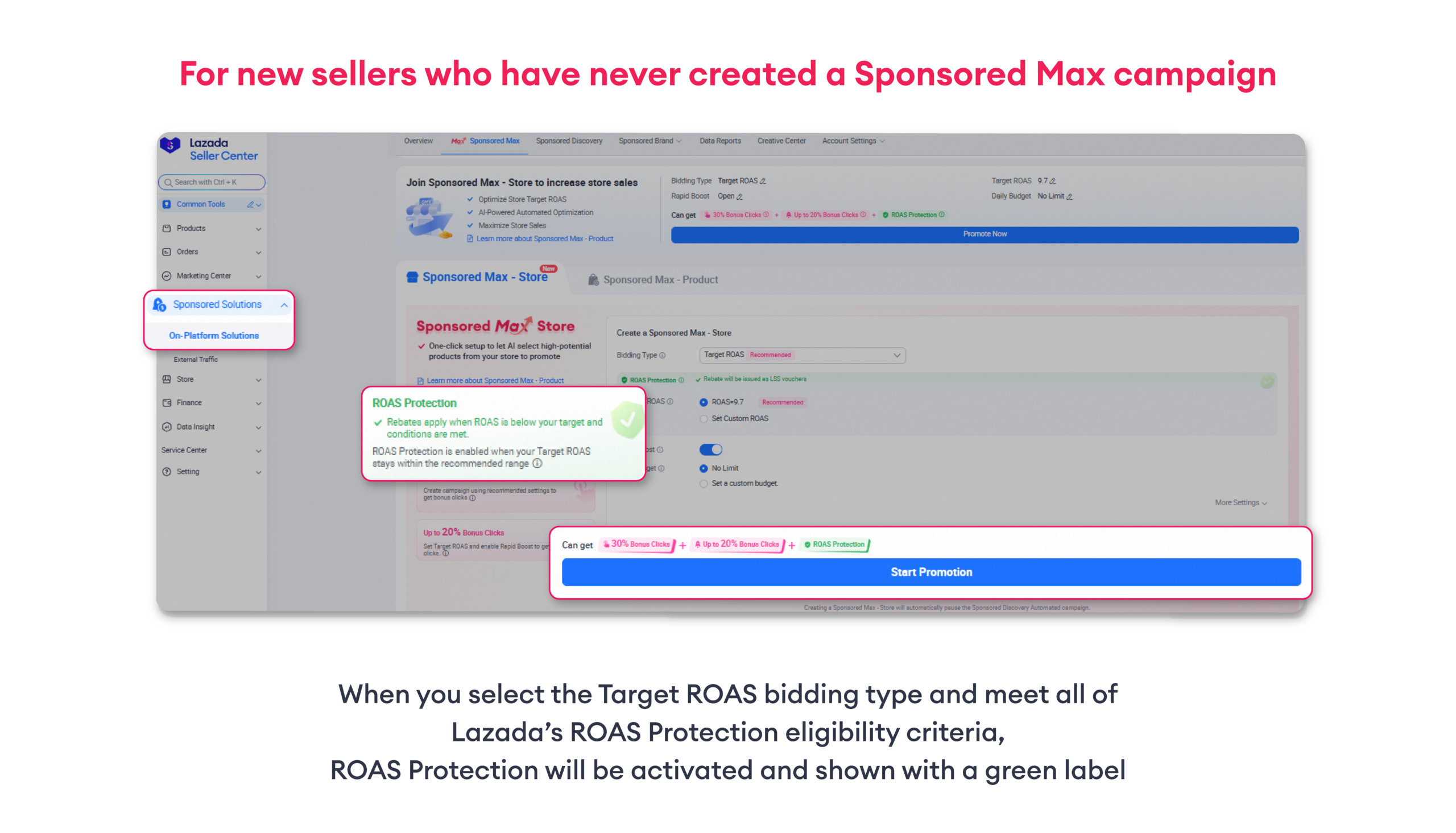
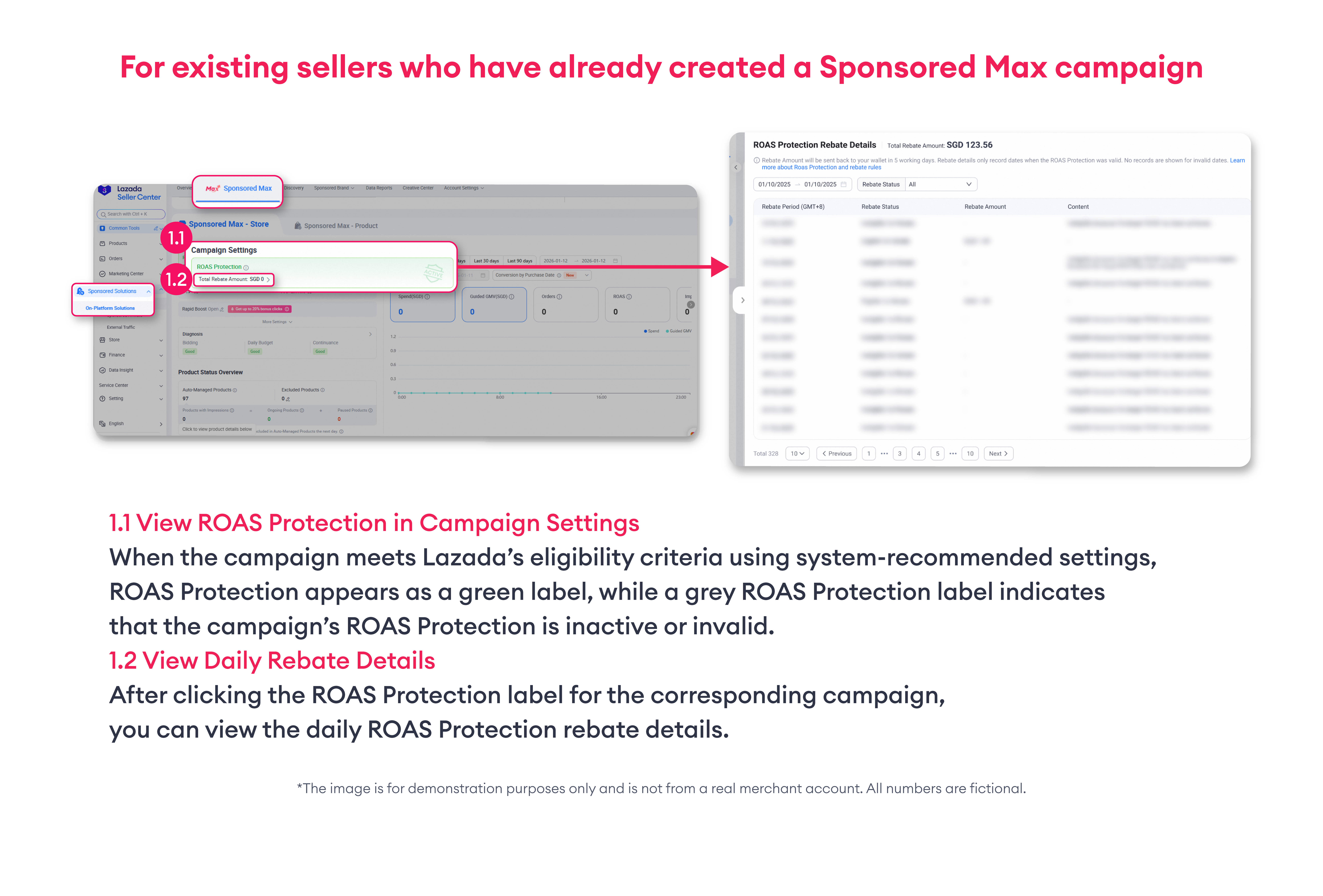
  • You can see the ROAS/ROI Protection label on the campaign management panel
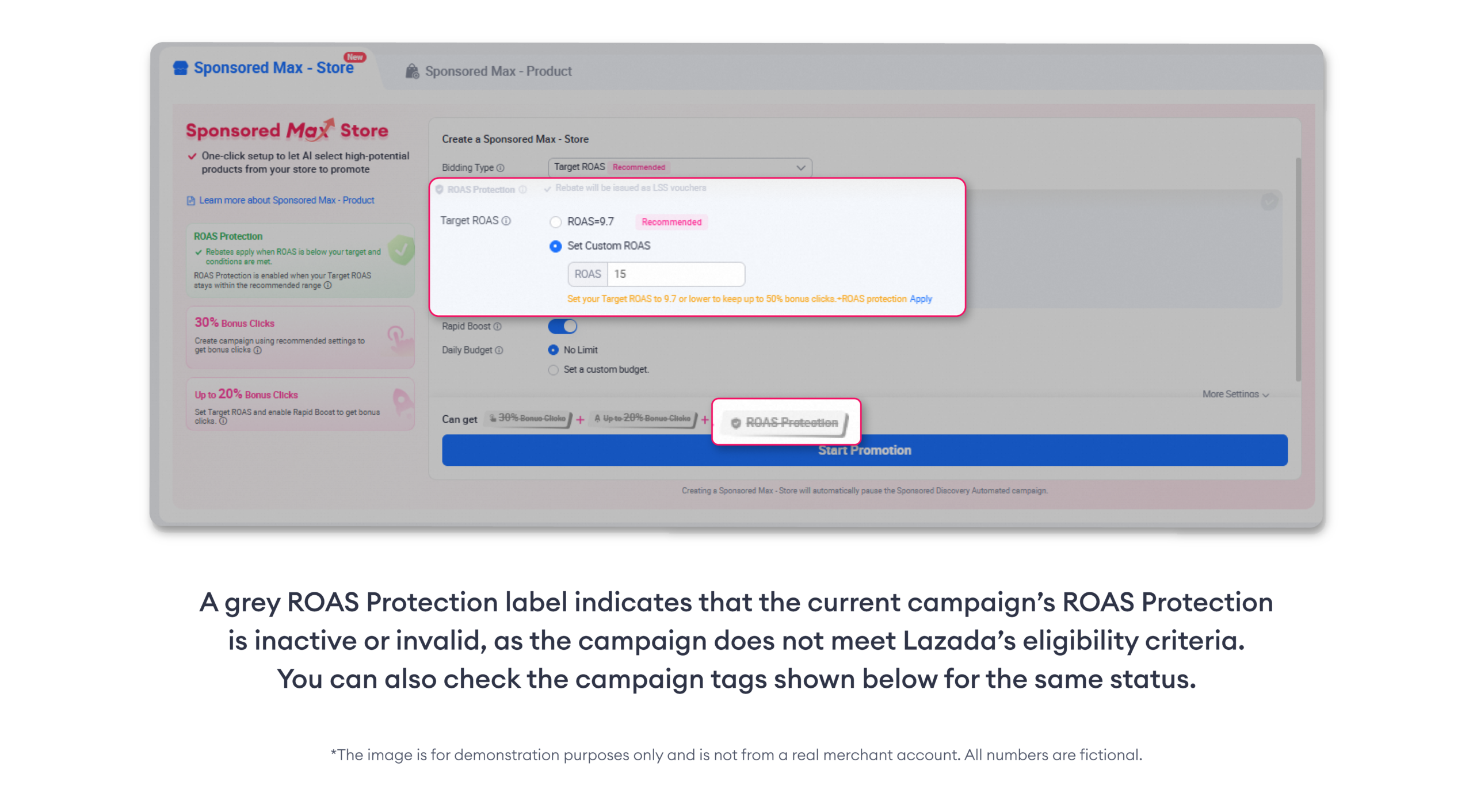
  • A green ROAS/ROI Protection label indicates that the current campaign is under ROAS/ROI protection, while a gray ROAS/ROI Protection label indicates that the current campaign’s ROAS/ROI protection is invalid

*The image is for demonstration purposes only and is not from a real merchant account. All numbers are fictional.

  • After clicking into the ROAS/ROI Protection label for the corresponding campaign, you can view the daily ROAS/ROI Protection Rebate Details.

Recent stories