Sponsored Max: Introducing Sponsored Max Cost Per Sale Mode (BETA)
- Published Date:
Now Available! Sponsored Max Cost Per Sale Mode (BETA)
Pay Only When You Generate Sales, With No Upfront Cost!
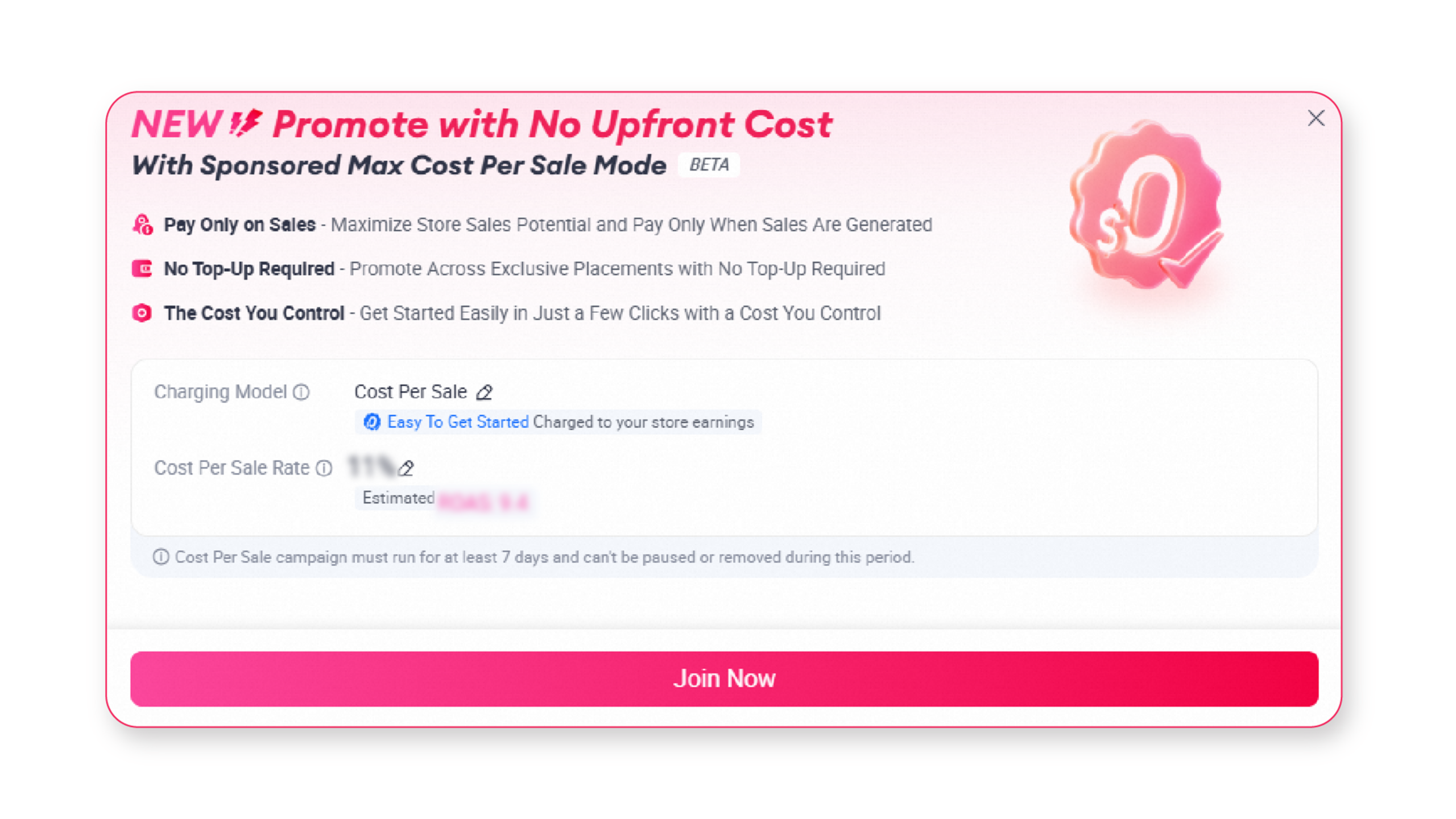
Sponsored Max Cost Per Sale Mode (BETA) is a new charging model available for Sponsored Max – Store. Designed to provide greater confidence and cost control, this charging model allows eligible sellers to promote their stores on lazada without upfront campaign costs.
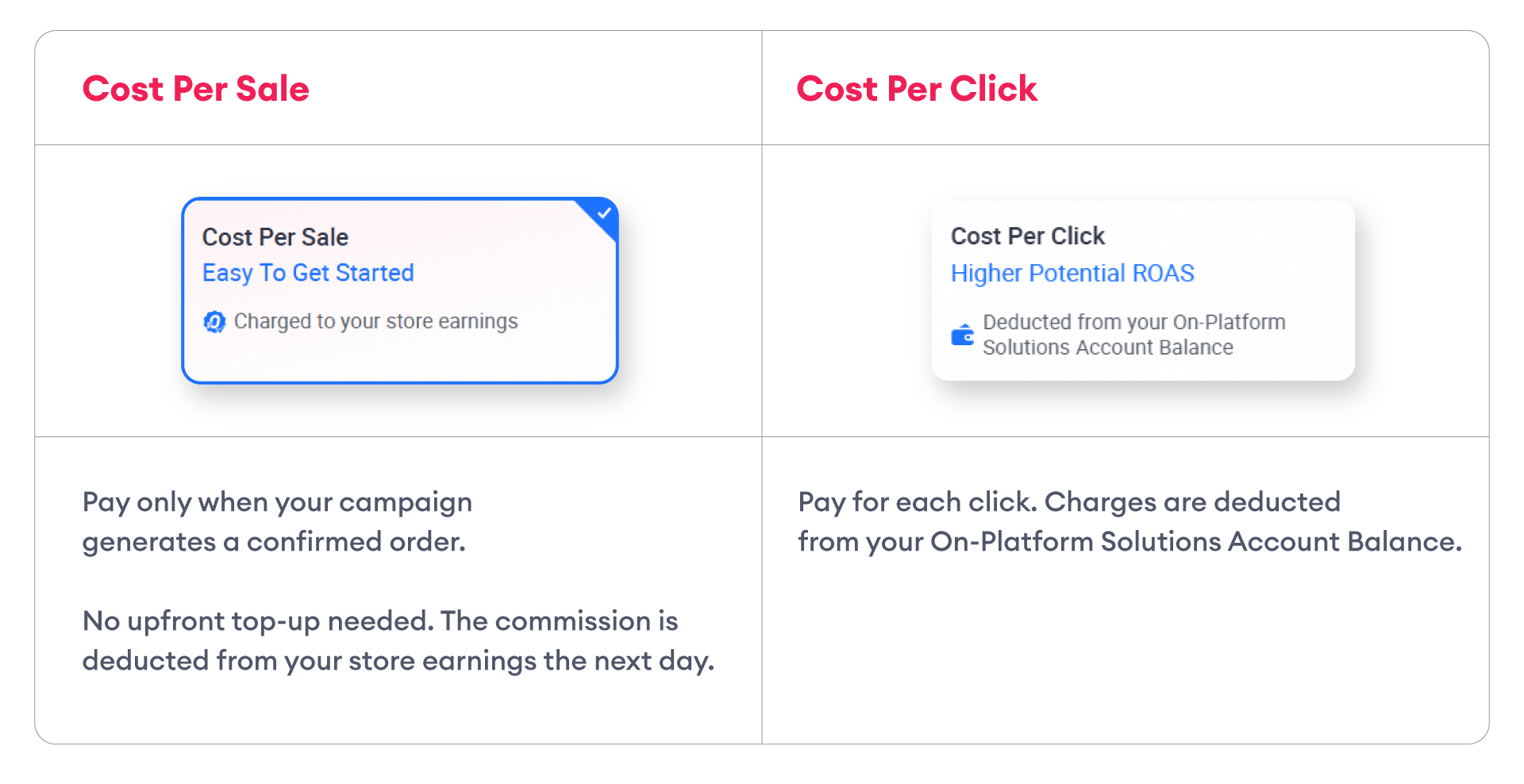
Instead of paying for campaign clicks, campaign charges apply only when confirmed orders are generated. If there are no sales, there is no charge!
Availability: Sponsored Max Cost per Sale Mode (BETA) is available to selected sellers only and is subject to Lazada’s discretion.
🚀Explore the Benefits of Sponsored Max Cost Per Sale Mode
● Pay Only on Sales
Start promoting with confidence. You are charged only when your campaign generates confirmed orders.
● No Top-Up Required
There is no wallet to top up and no budget to set. Your promotion starts running as soon as you set your rate, and costs are deducted from your store earnings the following day.
● The Cost You Control
Set your own Cost Per Sale rate, which will apply to every confirmed orders. The higher the rate, the greater the potential to generate sales, while your costs remain predictable and fully within your control.
● Easy to Get Started
Activate Sponsored Max – Store easily and start promoting your store in just one-click!
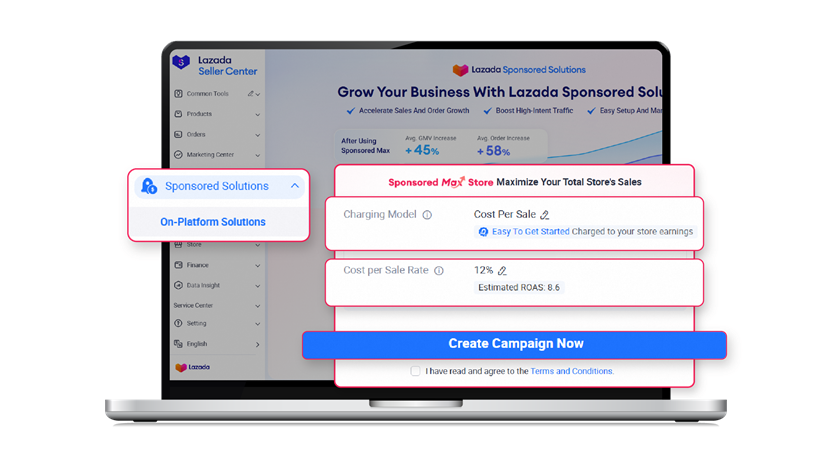
1. Get Started with Sponsored Max
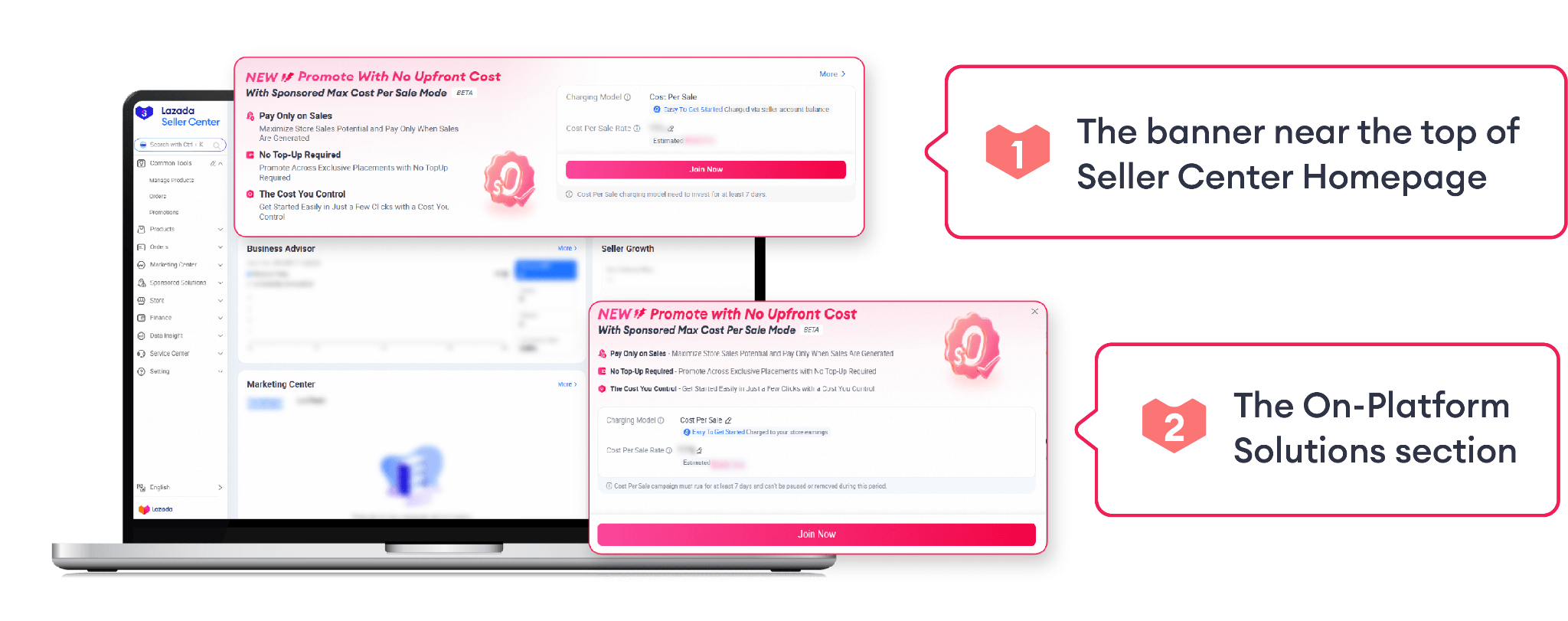
Go to Lazada Sponsored Solutions > On-Platform Solutions in Seller Center, Navigate to Sponsored Max Section to get started.
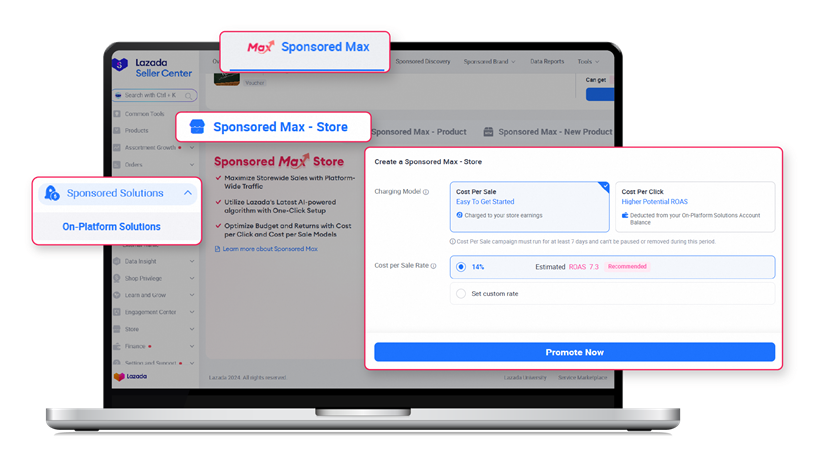
2. Choose the Charging Model: Cost Per Sale
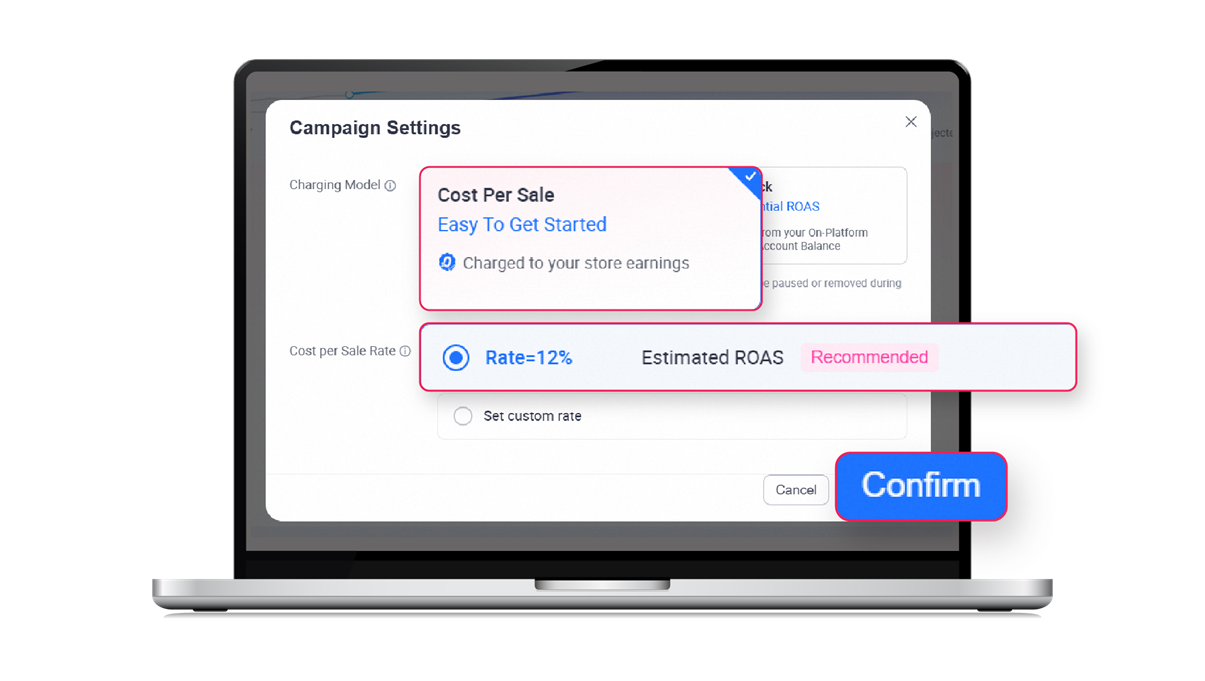
Choose Cost Per Sale as your preferred charging model, then use the recommended settings or customize your rate. A higher rate may help drive greater sales potential.
For Example, a 10% Cost per Sale rate means you will be charged SGD 10 for every SGD 100 in confirmed orders attributed to Sponsored Max within the 30-day last-click attribution window.
3. Start Promoting with Sponsored Max
Once the Cost Per Sale rate is confirmed, the campaign will begin running across Sponsored Max placements.
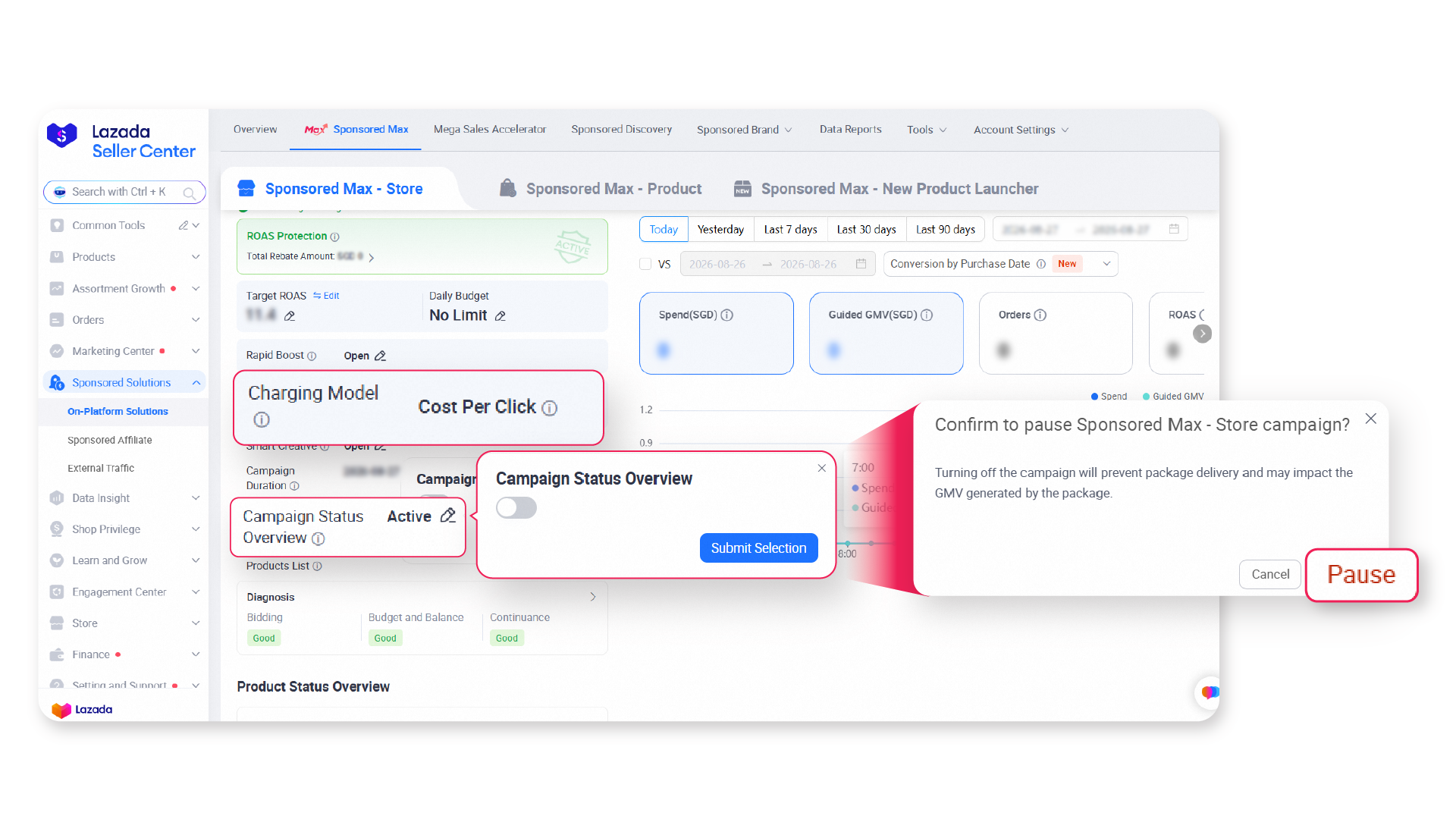
The campaign cannot be paused or stopped during the 7-day lock period after creation.
Remarks: Estimated Daily GMV and ROAS are for reference only and do not guarantee actual campaign performance.
About Confirmed Orders and Payment
● Confirmed Orders
Confirmed orders refer to orders that have successfully completed payment, including orders that are later cancelled, returned, or refunded.
Charges applied to confirmed orders are non-refundable.
● Charge Calculation and Deduction
Charges are calculated using the applicable Cost Per Sale rate and the confirmed order value attributed to Sponsored Max.
Applicable charges are deducted from store earnings or the GMV account balance, as applicable, on the following day.
● Orders Confirmed After a Campaign Is Paused
Orders are attributed using last-click attribution within a 30-day window. Even if you pause your campaign, any order already attributed within this window will still be confirmed and charged.
Campaign Modifications and Performance Reporting
● Cost Per Sale Rate Changes
the Cost Per Sale Rate can be updated in the campaign settings. The new rate takes effect the following day and begins a new 7-day lock period.
Orders attributed to qualifying clicks generated before the new rate takes effect may remain subject to the previous Cost Per Sale rate.
● View Campaign Performance
Campaign performance can be viewed in the Sponsored Max Performance module or the Data Reports tab.
Cost Per Sale data is updated daily. Same-day results are not available.
FAQs
Q: Can I select specific products to promote, or does Cost Per Sale cover my entire store?
A: Sponsored Max Cost Per Sale is available only for Sponsored Max – Store and automatically promotes eligible products across the store. Manual product selection and excluded products are not supported.
Q: Is there a minimum Cost Per Sale Rate for my store?
A: Yes. A minimum Cost Per Sale Rate applies to each store. Setting a rate above the minimum is recommended to support campaign delivery and performance.
Q: What happens if an order is cancelled, returned, or refunded?
A: Once payment is completed, the order is considered a Confirmed Order. The Cost Per Sale charge is non-refundable, even if the order is later cancelled, returned, or refunded.
Q: How does Cost Per Sale attribution work, and is there a time limit?
A: Cost Per Sale uses a 30-day last-click attribution window. A Confirmed Order placed within 30 days of the last qualifying click will be attributed to the campaign and charged at the applicable Cost Per Sale Rate. The charge will be deducted on the day following the purchase date.
Q: Can I pause, stop, or adjust my campaign at any time?
A: The campaign cannot be paused, stopped, or adjusted during the 7-day lock period following campaign creation, restart, or a Cost Per Sale Rate adjustment. These actions will become available once the lock period ends. A new 7-day lock period will begin after each campaign restart or rate adjustment.
Q: When does a Cost Per Sale Rate change take effect, and which rate applies?
A: Rate changes take effect the following day. Each Confirmed Order is charged at the rate active at the shopper’s last qualifying click.
Q: Can Cost Per Sale run at the same time as my other campaigns?
A: Cost Per Sale can run alongside MSA campaigns and Sponsored Max – Product. However, an existing Sponsored Max – Store Cost Per Click campaign must be paused first.
Q: What happens if my store earnings balance is insufficient?
A: The campaign will continue running. If the full amount cannot be deducted, the platform will attempt to collect the outstanding balance on the following days until it is fully settled. Sellers should regularly monitor their store earnings or GMV account balance, as applicable.
*Sponsored Max Cost Per Sale Mode is available to selected sellers only. T&Cs apply.

Try Sponsored Max – Store with No Upfront Cost
Start Now with Cost Per Sale Mode!
Country | View on Desktop |
|---|---|
Malaysia | |
Philippines | |
Singapore | |
Thailand | |
Vietnam | |
Indonesia |