
Mega Sales Accelerator (MSA) Is Getting an Upgrade
- Published Date:
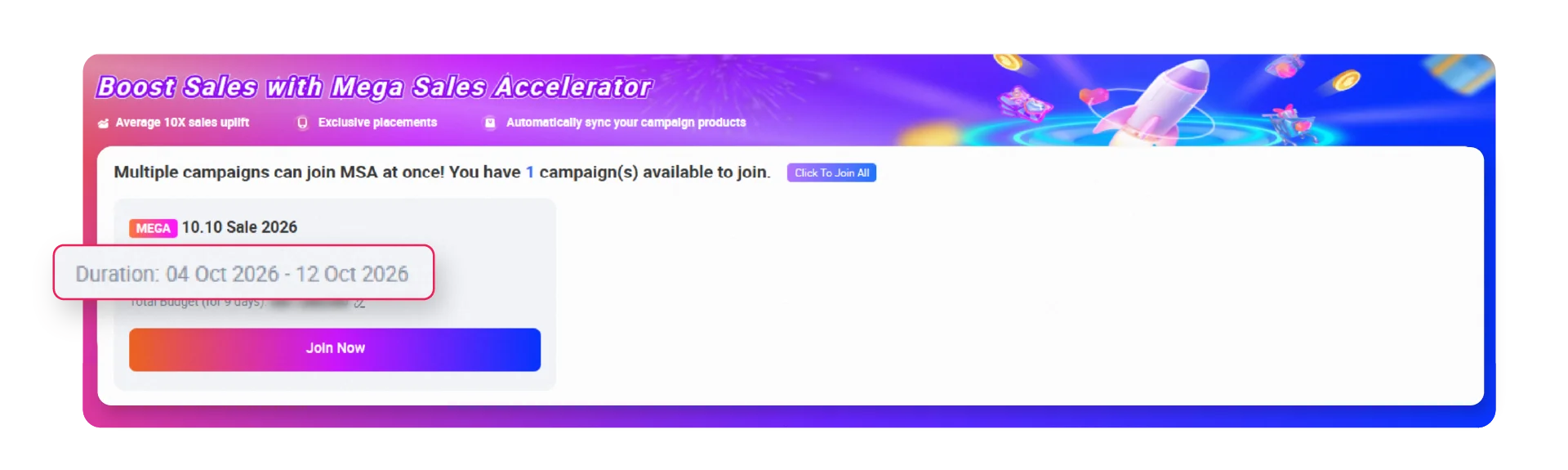
Starting 12 October 2026, Mega Sales Accelerator (MSA) will introduce enhanced features designed to provide greater confidence when running your campaigns and simplify campaign management.
MSA ROAS/ROI Protection will be available for all eligible MSA campaigns. In addition, selected sellers will gain access to an upgraded campaign setup, where the system automatically manages daily budget allocation and bidding throughout the campaign period.
What’s New
● MSA ROAS/ROI Protection*
MSA ROAS/ROI Protection provides added protection for eligible MSA campaigns across the full campaign period. If an eligible campaign performs below the protected ROAS/ROI threshold, part of the campaign spend will be rebated in the form of LSS vouchers.
● One Total Budget**
Set one Total Budget for the full campaign period. The system will automatically allocate daily spending based on real-time traffic and conversion signals throughout the campaign.
● System-Optimized Bidding**
The system automatically manages bidding and continuously optimizes based on campaign performance signals, without the need to select a bidding type or manually set a bid cap.
*Subject to eligibility criteria.
**Currently available to selected sellers only. Availability may vary by country.
MSA ROAS/ROI Protection
MSA ROAS/ROI Protection is a protection mechanism for sellers running MSA campaigns. The system determines a protected ROAS/ROI threshold for the full campaign period based on your campaign performance and other benchmarks.
If an eligible campaign performs below the protected threshold, part of the campaign spend may be rebated in the form of LSS vouchers.
Eligibility Criteria for MSA ROAS/ROI Protection
- Actual campaign ROAS/ROI ≤ ROAS/ROI Protection threshold
- The rebate is assessed once after campaign performance attribution is complete based on the 30-day last-click attribution model and is calculated based on the full campaign period
- Rebate is capped at 80% of total campaign spend
- Protection applies to the full campaign period, from the start of Teasing through the end of Post D-Day, inclusive
- Campaign must be created before Teasing starts. Campaign created after this will not be eligible for MSA ROAS/ROI Protection
- Total Budget ≥ the system-recommended Total Budget when the campaign is created
- Total campaign spend > 0 at the end of the campaign period
- Campaign must not be paused by the seller during the campaign period
- If applicable, campaign must use Auto Bidding only. Max CPC bidding is not eligible, and the bidding setup cannot be switched during the campaign
- Minimum Campaign Orders ≥ 5 × Number of campaign days
- Campaign must remain active throughout the full campaign period
Important Notes
- Increasing the Total Budget during the campaign period will not affect protection eligibility
- Adding or removing products during the campaign period will not affect protection eligibility
Eligibility criteria are subject to change without prior notice.
MSA ROAS/ROI Protection is available only for Mega, Double-Digit, Mid-Month, Payday, or equivalent campaign subject to country availability.
How Rebate Vouchers Are Calculated
The system calculates two rebate amounts and applies the lower value, capped at 80% of total campaign spend.
- Rebate amount = Actual Spend – (Guided GMV ÷ ROAS/ROI Protection threshold)
or - Rebate amount = Actual Spend × 80%
The calculation is based on campaign-period performance. Actual Spend and Guided GMV are measured across the full campaign period.
How Rebate Vouchers Are Issued
- After campaign performance is fully attributed based on the 30-day last-click attribution model, the rebate voucher will be issued within 5 working days
- The voucher is valid for 30 days from the date of issuance
- The voucher will be automatically credited to your account without manual collection
- Voucher name: MSA ROAS Protection Voucher
How to Check Your Rebate Voucher
Go to Lazada Seller Center → Sponsored Solutions → On-Platform Solutions → Account Settings → Account Balance, then scroll down to the Voucher section.
How to Check MSA ROAS/ROI Protection Status
The rebate status for each campaign is also available on the MSA Report Detail page.
The status will be shown as one of the following:

- Rebated: The rebate voucher has been issued
- Rebate Calculating: Campaign performance data is still being finalized
- Not Rebated: The campaign did not meet the rebate conditions