

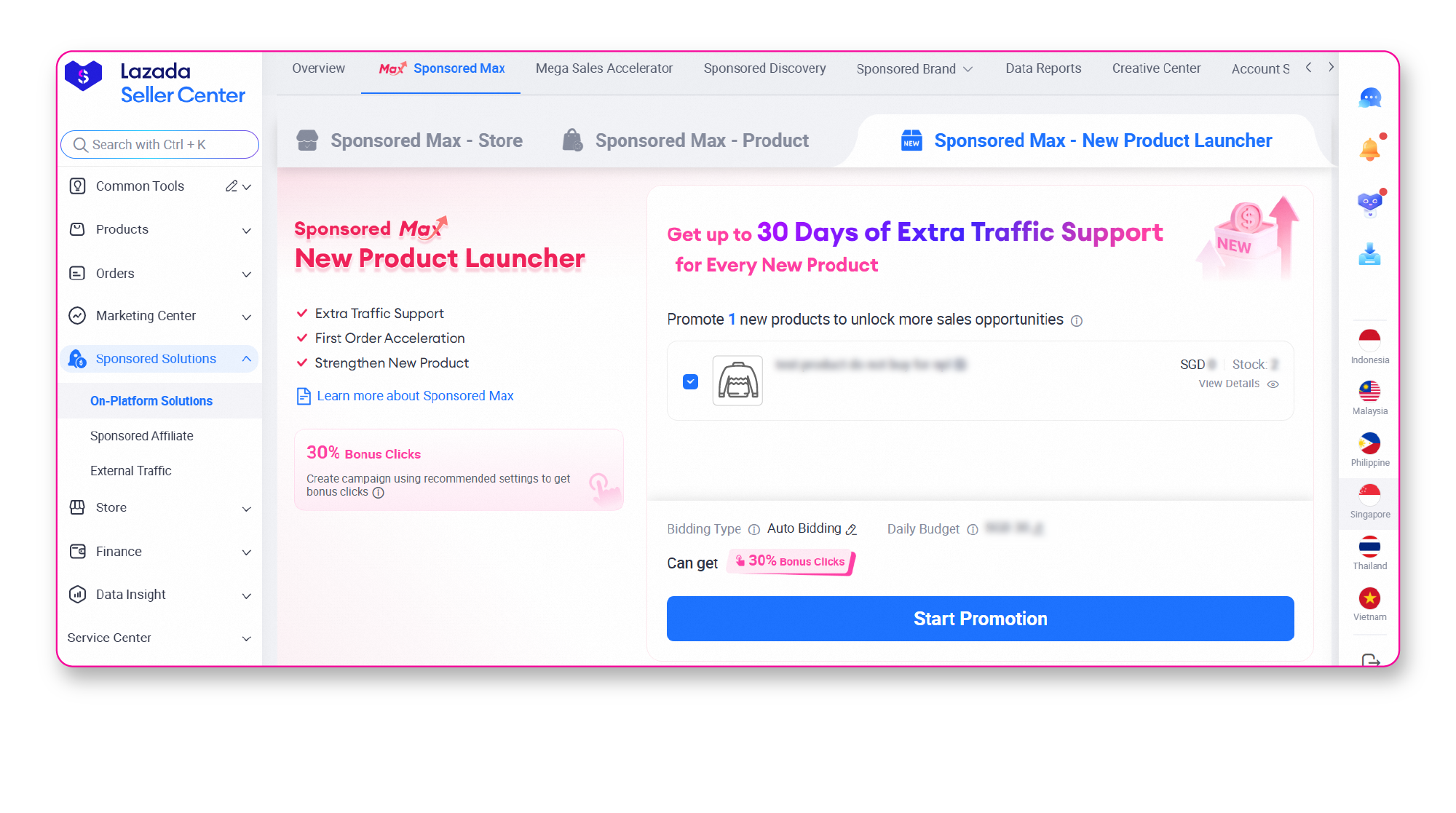
Start strong when launching new products. Sponsored Max introduces ‘New Product Launcher (NPL)’, a new solution that enables your store to promote new products with extra traffic support, accelerate first orders, and leverage smarter optimization to drive more traffic, boost visibility, and accelerate sales growth. Turn your new products into best-selling products by building strong momentum from day one!
🚀 Extra Traffic Support
Get extra traffic boost for up to 30 days to enable your new products to reach more shoppers
🚀 First Order Acceleration
Customised algorithm to deliver early order for new products
🚀Strengthen New Product
Increase your new products’ chances of success and support long-term growth
A solution designed to support eligible new and high-potential products listed within the last 60 days by giving them extra traffic support and smarter optimization to help accelerate early orders and improve their chances of launch success.
• Bidding Type
– Auto Bidding (Recommended)
– Target ROI
• Charging Model: Cost per Click (CPC)
• Placements : Search and Recommendation placement
Creating your first New Product Launcher campaign only takes a few steps. Follow the guide below to start promoting your eligible new products and accelerate their growth
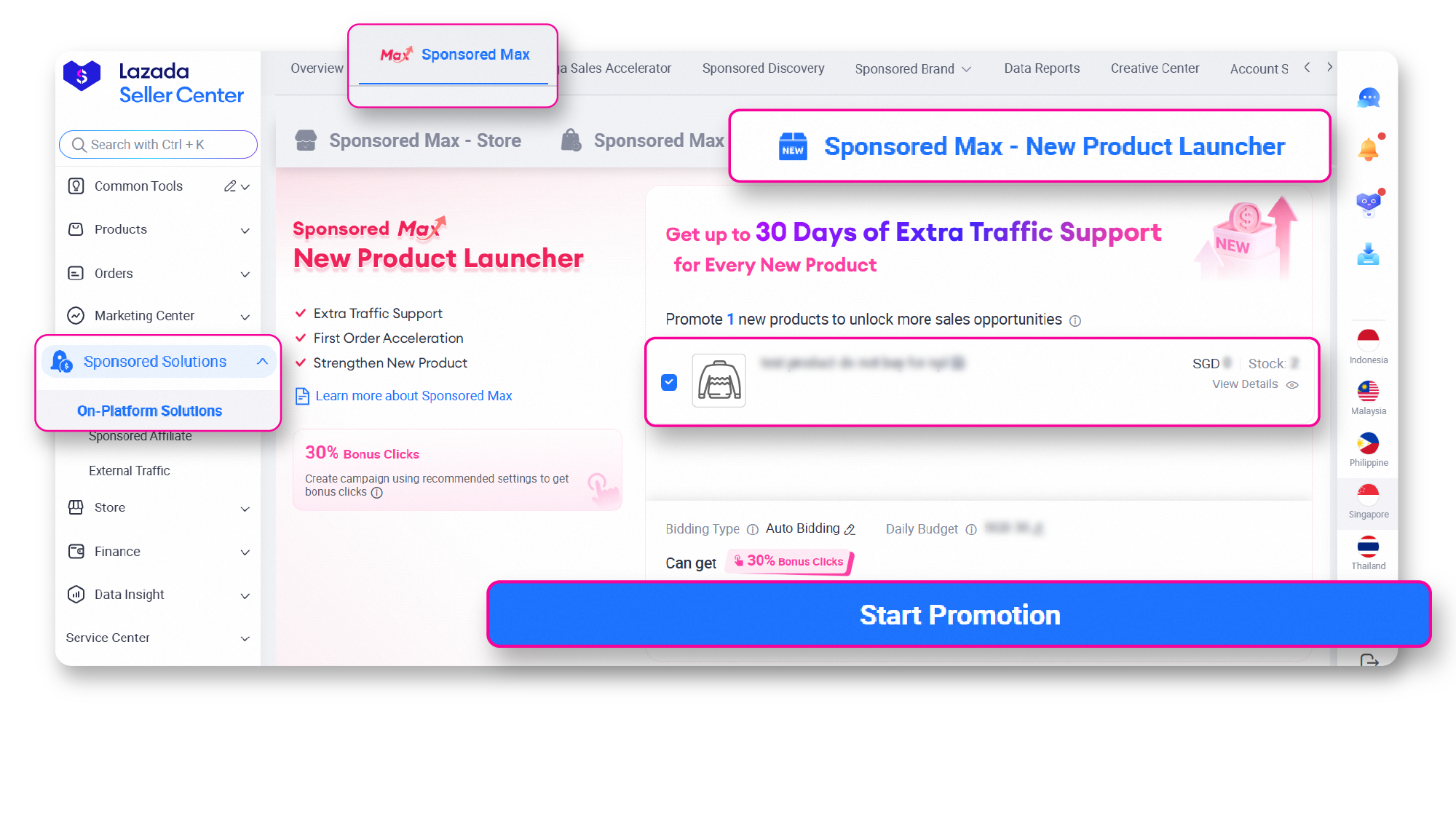
Step 1: Access Sponsored Max – New Product Launcher (NPL)
Go to Seller Centre → On-platform Solutions → Go to Sponsored Max then navigate to the New Product Launcher tab.
Step 2: Promote your Products
View your eligible new products and click Start Promotion to launch your campaign.
*Eligible new products are products listed within the last 60 days.
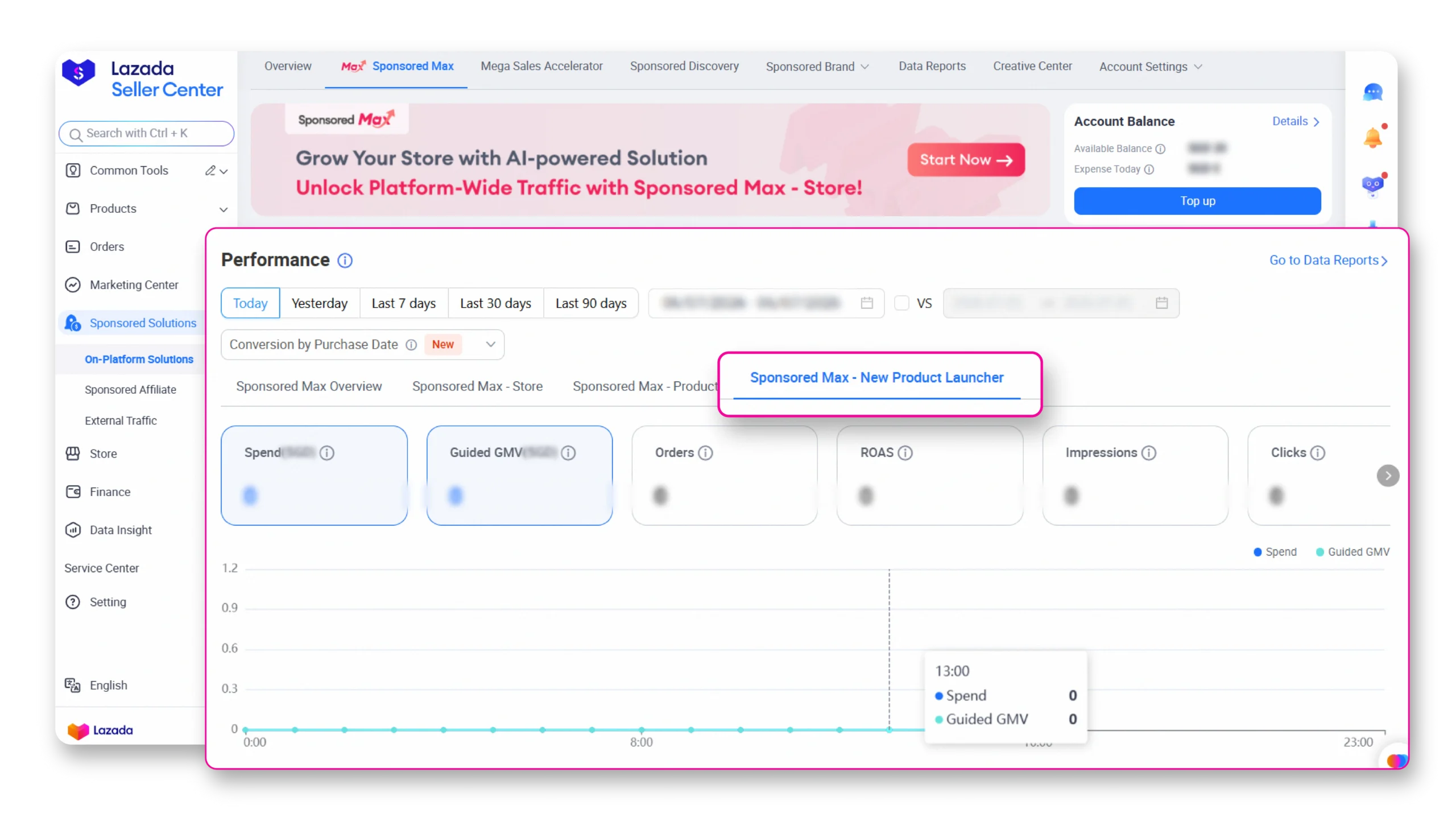
Step 3: Campaign Performance
Track your campaign performance by going to the Performance section and selecting Sponsored Max – New Product Launcher (NPL).
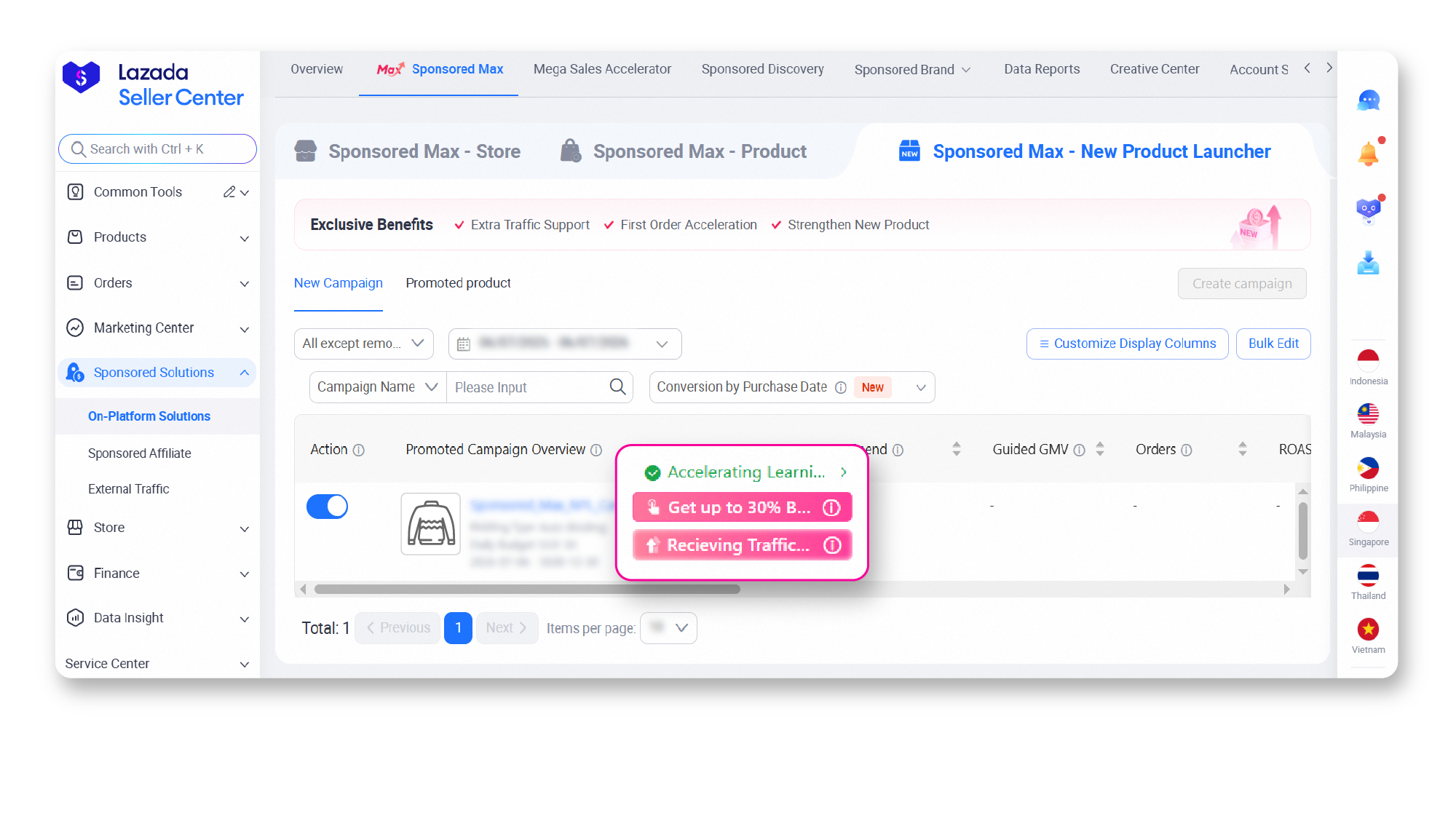
Step 4: Status
Go to the Sponsored Max – New Product Launcher tab and check the Status column. Products promoted with New Product Launcher will display a tag indicating their eligibility for traffic support.
Q: How many New Product Launcher campaigns can I create?
A: You can create up to 100 New Product Launcher campaigns, with a maximum of 100 products per campaign.
Q: Can I add or remove products from a New Product Launcher campaign?
A: Yes. You can add eligible products to your campaign, and each newly added product will receive its own 30-day traffic support period. However, once a product is removed from a New Product Launcher campaign, it cannot be added to another New Product Launcher campaign.
Q: Which products are eligible for New Product Launcher?
A: eligible products listed within the last 60 days can be promoted through New Product Launcher.
Q: How long will my product receive additional traffic support?
A: Each eligible product receives up to 30 days of additional traffic support from the time it starts promotion.
Q: Can the same product be promoted in multiple New Product Launcher campaigns?
A: No. Each eligible product can only be promoted in one New Product Launcher campaign. Products included in a New Product Launcher campaign will also be excluded from Sponsored Max – Store and Sponsored Max – Product campaigns during the promotion period.
Q: What happens if I pause a product during its 30-day traffic support period?
A: The 30-day traffic support period continues while the product is paused. When you resume the product, the remaining support period will continue – it will not restart or extend.
Country | Try now on Desktop | Try now on Lazada Seller Center App |
|---|---|---|
Malaysia | ||
Philippines | ||
Singapore | ||
Thailand | ||
Vietnam | ||
Indonesia |